


Creating a 3D model of a pivot arm is an essential skill for enthusiasts and professionals alike in areas such as mechanical engineering, robotics, and bespoke furniture design. The task involves crafting a sturdy beam that rotates around a fixed point referred to as the pivot, often incorporating features for mounting and adjustability. To effectively design your pivot arm, it is vital to merge fundamental CAD (Computer-Aided Design) knowledge with an in-depth comprehension of mechanical dynamics. Begin by sketching the key components: the arm (typically a straight section), the pivot point (which can be a cylindrical hole or bearing), along with any necessary mounting extras like brackets or holes. With your preferred 3D modeling software, such as Homestyler, Fusion 360, SolidWorks, or Blender, start with a 2D sketch detailing the pivot arm's dimensions. Extrude this outline to achieve the desired thickness. It's crucial to model the pivot hole at one end of the arm, as this ensures rotational capability. Consider adding fillets at the edges for added strength and visual appeal, especially if the arm is part of exposed hardware or furniture. For a more realistic touch, features like reinforcement ribs, bolt holes, or limit stop grooves can be included. As a designer, it is important to reflect on how this pivot arm will connect with surrounding components, taking into account materials (metal, wood, plastic?), mounting specifications, and necessary clearances for smooth rotation. Using reference images or importing actual measurements can aid in accuracy. Once your 3D model is complete, utilize section views and exploded diagrams to verify that no mechanical interferences exist. Tools like a 3D Floor Planner or Homestyler can be invaluable for assessing placement, proportions, and functional movement within a larger assembly—methods I frequently employ in my interior design and product integration tasks.
Tips 1:
- Select suitable scales and dimensions tailored to your project requirements.
- Think about implementing parametric features for future adjustments.
- Save your model in a format that aligns with your manufacturing needs (for instance, STL for 3D printing or STEP for CNC machining).
- If available, utilize simulation tools in your CAD software to validate the pivot arm's movement.
- Facilitate collaboration with clients or teammates by sharing visual representations and annotated diagrams.
FAQ
Q: What is a pivot arm?
A: A pivot arm is a solid lever or bar that rotates around a fixed point known as the pivot, often found in various mechanisms, robotics, and furniture designs. Q: Which software is preferable for creating a 3D model of a pivot arm?
A: Some popular options include Fusion 360, SolidWorks, Autodesk Inventor, and Homestyler, depending on your workflow and sector. Q: What file format is best for 3D printing a pivot arm?
A: The STL format is the most widely accepted for 3D printing, as it effectively conveys the shape and geometry. Q: How can I verify that the pivot hole aligns with my assembly?
A: To ensure proper alignment, use reference sketches, accurate measurements, and alignment tools in your CAD software to position the pivot hole with the mating parts. Q: Can I preview my pivot arm in a virtual room or assembly prior to manufacturing?
A: Absolutely, incorporating your model into a digital layout using 3D visualization tools like Homestyler enables you to check placement, functionality, and aesthetics before physical production.

Wood Bookshelf with Adjustable Shelves, 72" Tall


Minimalist Modern White Fabric Modular Sectional Sofa 3D Model
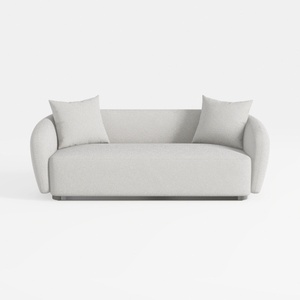
sofa_101S-SF1006-101 Stories
Homestyler is an amazing online home design platform perfect for both beginners and experienced decorators. With its user-friendly design tool, stunning 3D renderings, and a wealth of DIY video tutorials, you can easily create and visualize your dream spaces. Transform your home design ideas into reality today!
تصميم الآن مجانا
































