

Creating a stunning and mathematically intriguing 3D model of an octahedron is an exciting endeavor, whether your goals are educational, artistic, or design-oriented. An octahedron, classified as one of the five Platonic solids, comprises eight equilateral triangular faces, six vertices, and twelve edges. To develop a digital 3D model, utilizing reliable 3D modeling software such as Blender, SketchUp, or Homestyler can significantly enhance your experience. Follow these steps to get started:
1. Grasp the Geometry:
Begin by familiarizing yourself with the geometry of an octahedron. Each face shares equal dimensions, and adjacent faces intersect at consistent angles.
2. Outline the Octahedron Structure:
Start by sketching two pyramids base-to-base or view the octahedron as two square-based pyramids. Define the coordinates of the vertices. For a central octahedron positioned at the origin, the vertices typically include (±1, 0, 0), (0, ±1, 0), and (0, 0, ±1).
3. Utilize 3D Modeling Tools:
Launch your selected software, like Homestyler, and choose the basic shape creation feature. Most applications allow you to input vertex coordinates directly or begin with a primitive shape, such as a sphere, and modify the mesh to achieve an octahedron.
4. Fine-tune and Texture:
Once your basic shape is established, verify the edge lengths and angles. It’s time to add color, texture, and lighting to enhance the realism of your model. As a designer, I consider how different shapes interact with various environments—think about the lighting angle or the material finish. For instance, using glass-like textures can beautifully accentuate the symmetry of an octahedron.
5. Export and Utilize:
Export your model in a format that aligns with your needs—like .obj or .stl for 3D printing—or in a compatible format for rendering software such as Homestyler.
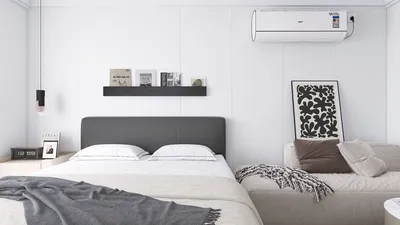
If you intend to include this octahedron in an interior context—whether as a decorative element or an innovative lighting feature—leveraging a 3D home rendering tool can assist you in visualizing how this geometry integrates into a real-world setting. I always suggest previewing objects within the designated space before finalizing your materials or arrangement.
Tips 1:
Experiment with various scales and materials in your 3D modeling software. An octahedron can serve as an impressive centerpiece in a contemporary living room or fit seamlessly within a minimalist shelf design. Consider rendering it with reflective or transparent surfaces for an enhanced visual allure.
FAQ
Q: Which software can I utilize to model an octahedron in 3D?
A: Popular choices include Blender, Tinkercad, SketchUp, Fusion 360, and Homestyler. Each platform provides unique tools tailored for geometric modeling.
Q: Is it feasible to 3D print an octahedron after modeling?
A: Certainly! Once you export your model (e.g., in .stl or .obj format), most 3D printers are capable of creating a physical version of your design.
Q: How can I ensure that all faces are uniform in size?
A: Employ precise vertex coordinates and select modeling tools that enable symmetrical editing or mesh snapping to maintain uniformity.
Q: In what ways can an octahedron contribute to interior design?
A: Octahedrons serve effectively as avant-garde sculptures, pendant lighting, or geometric wall art, adding symmetry and intrigue to any space.
Q: Is it possible to render my octahedron within a virtual home environment?
A: Absolutely! Tools optimized for 3D home rendering enable you to upload custom models, facilitating realistic arrangement and visualization.
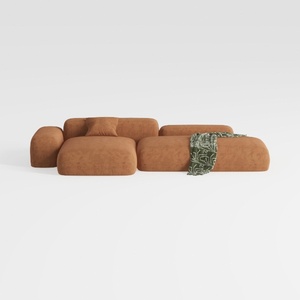
Minimalist Brown Fabric Modular Sectional Sofa 3D Model


Minimalist Fabric Curved Sofa With Throw Pillow 3D Model

Modern Rattan Fabric Upholstered Loveseat Sofa 3D Model
Homestyler is an incredible online home design platform that simplifies the redesign process. With its user-friendly design tool, stunning 3D renderings, and a wealth of inspiring video tutorials and design projects, you can effortlessly transform your space into a dream home—all while having fun!
立即免费设计
































