

Crafting 3D representations of Adventure Time characters presents an exciting opportunity for enthusiasts and budding designers alike. The journey typically consists of several important stages: reference collection, initial modeling, sculpting, texturing, and final rendering. Start by gathering high-definition references of your selected character—be it Finn, Jake, or Princess Bubblegum—to grasp their proportions, distinctive stylistic elements, and renowned color schemes. Following this, utilize a 3D modeling tool like Blender, Maya, or ZBrush to outline the basic forms of the character using elementary shapes such as cubes and spheres.
Once a fundamental outline has been established, it's time to refine the details—think facial expressions, notable accessories, or clothing textures. For characters such as Jake, who embodies a simple and rounded design, prioritize smooth geometry and expressive facial features. Characters like Princess Bubblegum and Marceline require a closer look at hair and outfit details. After the foundational model is complete, retopologizing will enhance mesh flow, and UV unwrapping will prepare your model for more effective texturing.
Texturing breathes life into your model. Apply either hand-painted or stylized textures to resonate with the unique Adventure Time aesthetic: flat colors, gentle shading, and clear outlines. Software like Substance Painter or Photoshop can assist in achieving a cartoonish finish. Following this, rigging your model for posing or animation (if desired) is essential, and setting up a scene for rendering with toon shaders and soft lighting will help to replicate the show's signature style. Finally, render your character in 3D and proudly display it in your portfolio or scene!
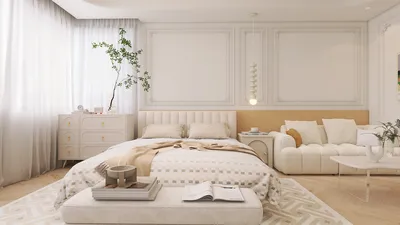
While the entire process may seem daunting, even novices can swiftly draft models and spatial layouts using a 3D floor planner, which facilitates the visualization of characters within customized settings inspired by the Land of Ooo. As a designer, I strongly suggest making use of these digital tools—not just for characters, but also for designing thematic interiors or immersive environments. With a focus on design, consider how characters and their settings overlap—establishing cohesion between the model and the background for engaging storytelling visuals.
Advice 1:
Start with low-poly models to retain the simplicity characteristic of the Adventure Time aesthetic, thus easing the sculpting process. Fewer polygons can lead to quicker iterations and simpler cartoon shading.
Frequently Asked Questions
Q: Which software do most 3D artists utilize for modeling Adventure Time characters?
A: Common tools include Blender (which is free), Autodesk Maya, and ZBrush, all offering comprehensive tools for sculpting, modeling, and rendering that are well-suited for stylized characters.
Q: How do I accurately capture the Adventure Time art style in 3D?
A: Employ flat colors, minimal shading, and simple shapes while steering clear of overly realistic textures to maintain fidelity to the cartoon’s visual style.
Q: Is it possible to animate my 3D Adventure Time character models?
A: Absolutely! Rig the model utilizing armatures and bones, then implement keyframe animations. Many 3D programs accommodate both basic and advanced animation techniques.
Q: Is sculpting a necessity for creating cartoon characters?
A: Basic sculpting skills can be beneficial, especially for detailing facial features or distinctive accessories. However, many Adventure Time characters feature simple designs that can be achieved with standard geometry tools.
Q: What’s the best way to showcase my character in a fitting environment?
A: Utilize 3D floor planning software or scene composition tools to design settings that capture the whimsical and vibrant essence of Adventure Time—like Finn and Jake’s tree house or the Ice Kingdom.
Furniliving Bean Bag Chair, Giant Bean Bag Chair


Minimalist Solid Oak Wood Dining Table 3D Model
JXQTLINGMU 60" Modern Executive Desk with Storage,
Discover the magic of home design with Homestyler! This user-friendly online platform offers an incredible design tool, stunning 3D renderings, and a wealth of inspiring projects and DIY tutorials. Whether you're a beginner or a seasoned designer, Homestyler makes your vision come alive effortlessly!
立即免费设计
































