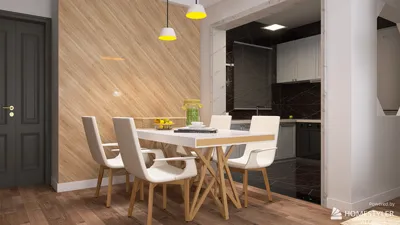


Designing 3D models in Fusion 360 is an efficient journey that caters to both novices and experts, allowing them to create a wide array of items—ranging from furniture and decorative elements to intricate architectural features. To kick off the process, initiate a new project and sketch a basic 2D shape on any of Fusion 360's work planes. You can lay down the primary outline of your desired object using tools such as Line, Rectangle, Circle, or Polygon. After finalizing your 2D sketch, the 'Extrude' function converts these flat shapes into three-dimensional forms by adding depth to your design.
Following this, utilize additional features like Fillet, Chamfer, and Shell to enhance your model's edges, introduce curves, or create hollows that align with your aesthetic and practical goals. Thanks to Fusion 360's parametric capabilities, you can make precise dimensional adjustments, ensuring each component is accurate. Experienced users can exploit advanced tools like ‘Loft,’ ‘Sweep,’ and ‘Revolve’ to create more complex shapes. Moreover, if teamwork is necessary, the cloud-based nature of Fusion 360 simplifies design sharing and collaboration with your peers.
As an interior design professional, I find this modeling approach to be essential for contemporary design presentations. High-quality 3D models allow clients to visualize their future spaces tangibly and facilitate the feedback process. For those who wish to enhance their floor plans and interior visualizations, incorporating a 3D Floor Planner with Fusion 360 can significantly improve detail and realism, making virtual walkthroughs possible and optimizing spaces effectively—all before construction begins in reality.
Tips 1:
Once you are familiar with creating basic objects, delve into Fusion 360's material library to apply textures and finishes that replicate real-life interior materials—this feature can be incredibly beneficial for client presentations and mood boards.
FAQ
Q: Can I import floor plans into Fusion 360?
A: Yes, Fusion 360 allows you to import images such as floor plans, which you can use as canvases for tracing or reference while constructing your 3D models.
Q: What file formats can Fusion 360 export for 3D printing or rendering?
A: Fusion 360 supports exports in STL, OBJ, and various CAD formats, making it compatible with 3D printers and rendering software.
Q: Is Fusion 360 appropriate for designing interiors or primarily for mechanical parts?
A: While Fusion 360 is renowned for its mechanical design capabilities, its powerful modeling tools enable the creation of furniture, interior fixtures, and architectural elements alike.
Q: How can I enhance the realism of my Fusion 360 models for presentations?
A: To achieve photorealistic representations of your models, utilize materials, textures, and lighting options available within the Rendering workspace.
Q: Can I collaborate with other designers using Fusion 360?
A: Certainly! Fusion 360's cloud platform enables real-time collaboration, permitting multiple users to work on the same project simultaneously, enhancing teamwork and creativity.
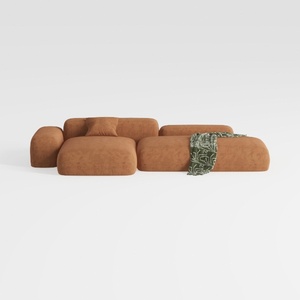
Minimalist Brown Fabric Modular Sectional Sofa 3D Model
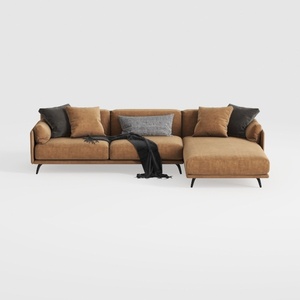

Coaster Home Furnishings - Camacho - Upholstered C

Modway EEI-6312-WHI-NAT Kinetic 49" Wall-Mount Off
Homestyler is your go-to online home design platform! With its easy-to-use design tool, stunning 3D rendering, a wealth of design projects, and engaging DIY video tutorials, you can effortlessly transform your vision into reality—perfect for both beginners and seasoned decorators alike!
Concevez maintenant gratuitement
































