

Creating accurate 3D models in Blender 2.9 might seem overwhelming at first, however, by grasping the fundamental tools and techniques available, you'll discover that the journey can be not only fulfilling but also quite manageable. Blender 2.9 features several enhancements that bolster precision in modeling, enabling you to render detailed designs with confidence. Mastering these skills hinges on a combination of practice and familiarity with Blender's extensive toolset.
Let's commence by emphasizing the importance of correct unit settings in Blender. Did you know that configuring your scene's units can greatly influence your modeling efficiency? You can determine your unit system from the Scene properties panel by selecting either Metric or Imperial. Aligning your model to these real-world measurements is essential for achieving precision, especially when your designs have to fit with other components or adhere to specific size requirements.
Employ the Grid for Alignment
The grid in Blender serves as an essential reference for meticulous modeling. By activating the grid, you can seamlessly align objects and uphold symmetrical structures, ensuring your models possess both structural integrity and visual appeal. To maximize the utility of the grid, fine-tune the scale and increments based on your project’s specifics. This approach will facilitate straight edges and uniform spacing, ultimately optimizing your modeling workflow.
Make Use of Snapping Features
Snapping is among the most effective methods in Blender 2.9 for achieving precision. You can activate snapping by clicking the magnet icon located in the top menu or using the shortcut 'Shift + Tab'. This function allows you to easily align vertices, edges, and faces with the grid, other objects, or designated points. Utilizing this feature not only accelerates your workflow but also alleviates irritation when ensuring exact alignment of objects!
Utilize Modifiers for Greater Accuracy
Modifiers such as Mirror, Array, and Boolean greatly improve precision in your modeling tasks. The Mirror modifier enables the creation of symmetrical objects without the need for manual modeling on both sides. For instance, if you're crafting a character, leveraging the Mirror modifier can significantly save time while maintaining balance in your design. Similarly, the Array modifier simplifies the process of generating repeated elements with accurate spacing, which is crucial for intricate projects.
Employ Proportional Editing
Proportional editing stands out as an indispensable tool for refining shapes. When you activate Proportional Editing (shortcut: 'O'), you control how your changes affect surrounding vertices. This functionality is particularly advantageous for making nuanced adjustments without disturbing the entire model, promoting organic shapes and smooth transitions in your designs. Additionally, using tools like Homestyler can further aid in visualizing your models in varied contexts.
Frequently Asked Questions
Q: What strategies can I use to enhance my modeling accuracy in Blender 2.9? A: Regular practice with snapping tools, the grid, and modifiers is key. Ensure you're acquainted with the unit settings to produce precise designs.
Q: Is it possible to lock specific axes during modeling? A: Absolutely! You can restrict movements along the X, Y, or Z axes to ensure precision when modifying your objects, thus making certain that your edits exclusively affect the selected dimensions of your model.
Q: How can I achieve smooth and precise curves? A: By using Bezier curves and adjusting their control points, you can create seamless curves that are easily manipulated and integrated into your models. These curves are fantastic for character modeling or for any design requiring a graceful flow.


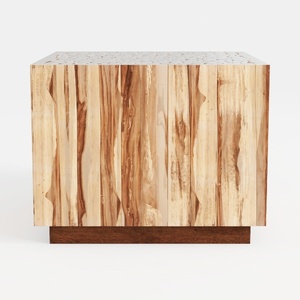
Minimalist Solid Wood Accent Cabinet with Textured Top 3D Model
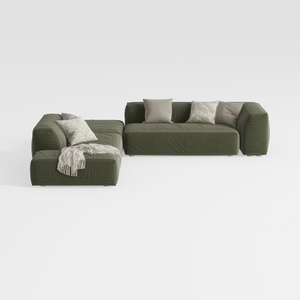
Minimalist Modern Fabric L Shaped Sectional Sofa with Throw Pillows 3D Model
Homestyler is your go-to online home design platform! With its user-friendly design tool and stunning 3D renderings, you can easily explore and visualize your ideas. Plus, its extensive design projects and helpful video tutorials make DIY home design fun and accessible for everyone!
تصميم الآن مجانا
































