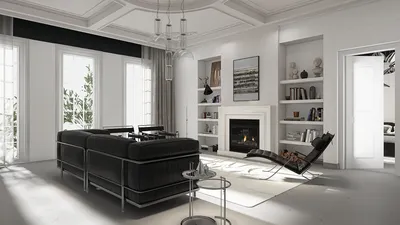


Mastering the art of 3D modeling from images can truly unleash a realm of creative opportunities. This exciting endeavor is suitable for both seasoned designers and newcomers looking to convert flat visuals into three-dimensional shapes. In this guide, we will thoroughly explore the steps involved, ensuring you can seamlessly transform pictures into stunning 3D models, aided by tools like Homestyler.
The initial step to create a 3D model from a picture is selecting the right software for your needs. There are various popular choices, including Blender, Tinkercad, and SketchUp, each catering to different levels of expertise. Opt for one that aligns with your personal design preferences. It's advisable to become well-acquainted with your chosen platform’s tools to enhance your creative workflow, and don't overlook the capabilities offered by Homestyler as a user-friendly option.
Compiling Reference Images
Before you plunge into the modeling phase, it's crucial to collect high-quality reference images. Ideally, aim for multiple perspectives of the object you intend to recreate. This step is essential not only for maintaining accuracy but also for adding realistic elements to your model. Consider sourcing images that display various textures and materials to enrich your design.
Configuring Your 3D Workspace
After choosing your modeling software and assembling your images, it’s time to organize your workspace. Import your collected reference images into your chosen software and position them on the relevant axes. This visual reference will aid in achieving precise proportions and details, making accurate alignment critical for excellent results.
Commence the Modeling Journey
Now, the exciting part begins—modeling! Start by outlining simple shapes based on your reference images. Leverage the available tools within the software to extrude, scale, and rotate these shapes, ensuring they reflect the dimensions of the intended object. It’s beneficial to frequently switch viewpoints to replicate the object’s true form, helping identify any shape inaccuracies early in the modeling process.
Incorporating Finer Details
Once the basic structure is formed, it’s time to refine your model with intricate details. This phase can involve adding textures and colors that breathe life into your creation. Utilize UV mapping tools present in your software to overlay images or materials that enhance aesthetic appeal. Don’t overlook the lighting effects, as they play a pivotal role in the realism of your 3D model.
Finalizing with Rendering and Exporting
When you're pleased with your model, the next step is rendering. This process transforms your 3D model into a lifelike visual image, incorporating lighting and effects for heightened realism. Experimenting with various rendering settings can help you achieve your desired outcome. Following rendering, you can export your model in preferred file formats suitable for 3D printing or digital application, ensuring it complies with project specifications.
Frequently Asked Questions
Q: What software is ideal for newcomers?A: Tinkercad stands out as a beginner-friendly option, while Blender offers advanced functionalities for those eager to learn, thus providing better flexibility and creative customization, similar to what one can find with Homestyler.
Q: Is it feasible to model with only one picture?A: Although it’s possible, utilizing multiple reference images from various angles will greatly enhance both the accuracy and detail of your final model, leading to a significantly superior outcome.

Minimalist Concrete Potted Dried Foliage Plant 3D Model

Minimalist Velvet L Shaped Sectional Sofa with Throw Pillows 3D Model


Homestyler is your go-to online design platform! With its user-friendly design tool, stunning 3D renderings, and a wealth of DIY video tutorials, you can effortlessly create and visualize your dream home. Transform your space with ease and inspiration—get started today!
Progetta ora GRATIS
































