


Mastering the creation of 3D models for solid shapes is essential for anyone involved in design and engineering. These representations can range from basic geometric figures like cubes and spheres to intricate organic forms. To embark on your modeling journey, selecting the appropriate 3D modeling software is crucial—tools such as Blender, SketchUp, Autodesk Fusion360, or user-friendly online platforms offer excellent ways to craft solid structures. Start by choosing a primitive shape such as a cube, sphere, or cylinder. Most software provides user-friendly drag-and-drop features or basic extrusion tools to modify these shapes, enabling you to scale, rotate, and merge them. After achieving your desired sizes, enhance the details using sculpting techniques, Boolean operations for adding or subtracting shapes, and surface modification tools. Export your completed model in a standard format like .STL or .OBJ for purposes such as 3D printing, rendering, or additional editing. As an interior designer, I highly recommend using intuitive visualization tools like Homestyler for modeling solid objects, as accurate spatial planning begins with these essential skills. With a web-based 3D floor planner like Homestyler, you can easily create and interactively explore solid shapes within real room layouts, thereby streamlining your design process.
Guidance 1:
Always start with precise measurements and a clear goal in mind. For 3D models intended for practical applications—be it furniture design or room configurations—it’s vital to use accurate dimensions and consistently maintain scale throughout the process. Begin by simplifying your shapes; intricate details can be incorporated later once the foundational solid is established.
Common Queries
Q: Which software is best for creating 3D models of solid shapes?
A: For beginners, user-friendly options such as Blender, SketchUp, and reputable online 3D floor planners, like Homestyler, are great choices. For more advanced users, Fusion360 or Rhino might be more suitable.
Q: What file formats are ideal for exporting 3D models?
A: The best formats typically include STL, OBJ, and FBX, depending on your specific needs—whether for 3D printing, rendering, or collaboration purposes.
Q: Are there any free platforms available for modeling solid shapes in 3D?
A: Absolutely! Blender and various online room planners like Homestyler also offer free versions that are ideal for creating and exporting scaled models.
Q: How can I enhance the detail and complexity of simple solid shapes?
A: To add depth and intricacy, utilize your software’s sculpting, layering, and Boolean operations to merge, subtract, or refine your basic forms.
Q: In what ways does 3D modeling of solids contribute to interior design?
A: It allows for realistic visualization of furniture, architectural features, and spatial arrangements, which enhances design precision and improves communication with clients.

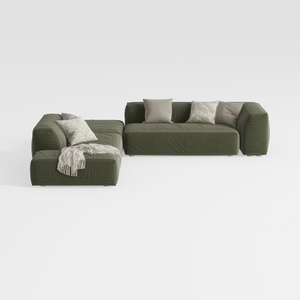
Minimalist Modern Fabric L Shaped Sectional Sofa with Throw Pillows 3D Model
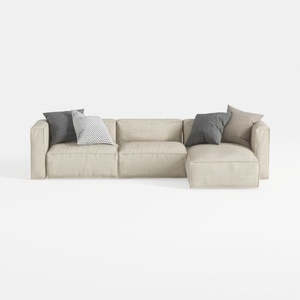
Minimalist Fabric L Shaped Sectional Sofa with Throw Pillows 3D Model
Homestyler is your go-to online home design platform, perfect for anyone looking to transform their space. With a user-friendly design tool, stunning 3D renderings, a variety of design projects, and helpful video tutorials, you can easily create your dream home with confidence and creativity!
Design Now for FREE
































