

Uploading 3D models to VRChat is essential for creators aiming to personalize their virtual experience and share distinctive avatars or environments with the community. Although the process involves multiple technical aspects, with thorough preparation and suitable tools, even those new to the scene can engage with the vibrant creative atmosphere that VRChat provides. Here’s a comprehensive guide to help you embark on your journey:
As a designer, I tackle 3D model preparation for VRChat in a manner similar to planning any digital environment: striking a balance between visual appeal and performance efficiency. Maintaining a clean topology and effective texturing is vital not only for meeting technical standards but also for creating an engaging, accessible experience for all users in your digital space. Utilizing tools like a 3D rendered home environment planner such as Homestyler can provide inspiration for layout, effective lighting, and furniture placement within your virtual settings.
Tips 1:
Before you upload, it's crucial to evaluate your model's performance through Unity’s stats window. Strive for an optimal mix of aesthetics and frame rates. Adhering to proper naming conventions, maintaining a clean hierarchy in your scene, and keeping materials organized will expedite the process and minimize potential troubleshooting in the future.
FAQ
Q: Which file type should I export my models as for VRChat?
A: The recommended file type for exporting 3D models for use in Unity and VRChat is .FBX.
Q: What version of Unity should I utilize to upload models to VRChat?
A: Always refer to the Unity version outlined in the latest VRChat documentation to ensure compatibility and prevent upload issues.
Q: Is it possible to import avatars that have been purchased or downloaded from other websites?
A: Yes, as long as you have the rights to use and modify them, and the models are optimized to meet VRChat performance standards regarding polygon counts and overall efficiency.
Q: Do I need any programming skills to upload a 3D model to VRChat?
A: Basic model uploads do not require programming knowledge, but being familiar with Unity’s interface and material configurations is beneficial.
Q: How can I enhance the appearance of my VRChat avatar or world?
A: Employ high-quality textures and appropriate lighting, and consider applying real-world interior design concepts for color schemes and spatial organization to boost immersion.

Minimalist Linen Fabric Extra Large Sofa With Throw Pillows And Blanket 3D Model
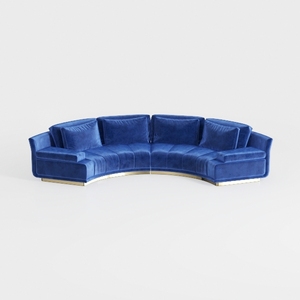

Modern Navy Velvet Gold Base Curved Sectional Sofa 3D Model
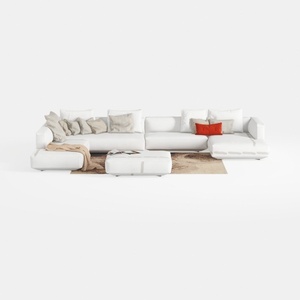
Minimalist White Fabric L Shaped Sectional Sofa with Ottoman 3D Model
Discover your interior design potential with Homestyler! This user-friendly online platform features a powerful design tool, stunning 3D renderings, inspiring design projects, and helpful DIY video tutorials. Transform your space effortlessly and unleash your creativity today!
立即免费设计
































