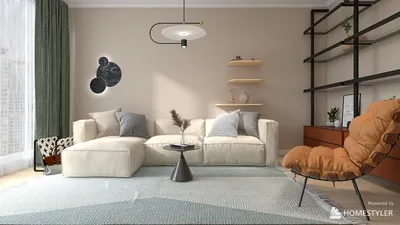


Are you interested in improving your 3D models with realistic textures? Incorporating textures is crucial for enhancing the visual appeal and authenticity of your designs. In this article, we will discuss different techniques to effectively texture your models, including how to utilize Homestyler for an optimized experience.
Grasping Texturing Fundamentals
Before you begin, it's essential to recognize that textures deliver the surface details of a 3D model. They encompass colors, patterns, and images that contribute depth and realism to your designs.
The fundamental steps include selecting or creating a texture, applying it to your model, and fine-tuning its properties to get the desired effect. So, where do you begin?
Choosing Suitable Textures
Selecting the right texture is key. You have the option to create your own textures with image editing software or obtain them from texture libraries. Opting for high-resolution textures will yield better detail and realism.
Take into account the material characteristics of your object. For instance, a wooden table will need different textures compared to a metal chair. Have you considered how a slight change in texture can dramatically impact the perception of your model?
Implementing Textures in 3D Software
Most 3D modeling programs, such as Blender or Autodesk Maya, offer user-friendly tools for texture application. Typically, the process starts by importing your texture file and mapping it onto your 3D model. Texture mapping may involve UV mapping, where you unwrap the model to ensure accurate texture application.
Have you explored various UV mapping techniques? Minor adjustments can yield more realistic results!
Adjusting Texture Characteristics
Once textures are applied, it’s important to adjust their characteristics, such as scaling, tiling, and blending modes. This step is crucial for achieving a believable final appearance. You might want to look into normal maps or bump maps for extra depth.
Which adjustments have you found most effective in your projects? Sharing insights can help others enhance their techniques!
Popular Texturing Methods
Several well-known texturing methods include:
Diffuse Mapping: This is the most widely used technique for adding color texture.
Specular Mapping: This method controls the surface reflection quality.
Normal Mapping: This technique adds details without increasing polygon counts.
Have you experimented with these methods in your projects? Let’s share our experiences!
Frequently Asked Questions
Q: What is the optimal way to create custom textures? A: Utilizing software like Photoshop or GIMP enables the creation of unique textures tailored to your model's specifications.
Q: How can I fix texture stretching issues? A: Modifying UV mapping and ensuring that the texture is created at the appropriate resolution can help reduce stretching problems.


Minimalist Black Solid Wood Irregular Coffee Table 3D Model

Modern Dark Green Glass Door Display Cabinet Bookshelf 3D Model
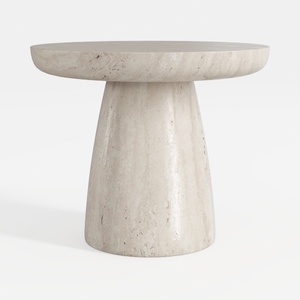
Minimalist Travertine Round Side Table 3D Model
Homestyler is your go-to online home design platform that makes decorating effortless and enjoyable. With its user-friendly design tool, stunning 3D renderings, and a treasure trove of inspiring design projects and DIY video tutorials, you can effortlessly transform your space into your dream home!
Design Now for FREE
































