


Dividing large 3D models for successful printing can seem overwhelming. Whether dealing with intricate designs or oversized objects, effective segmentation is key for high-quality prints. Here’s a comprehensive guide to simplifying this process while guaranteeing excellent results with tools like Homestyler.
Recognizing the Importance of Segmentation
Why is it essential to break your model into smaller parts? Large designs can surpass the printer's size limitations or pose challenges regarding print quality. By implementing segmentation, you not only streamline the printing process but also improve detail and minimize the risk of print failures.
Consider the challenges you might face, from the dimensions of the print bed to the type of material used. Each factor affects how you should segment your model. For example, if your printer accommodates only limited sizes, consider slicing your model into smaller, more manageable sections.
Software Solutions for Segmentation
Numerous software tools exist to assist in segmenting large 3D models effectively. Applications such as Blender and Meshmixer empower you to cut and manipulate your design with ease. Utilizing these platforms allows for a visual assessment of which components to separate while maintaining the model's overall integrity.
When you decide how to segment your model, seek out natural seams or logical areas within your design. This approach not only facilitates easier assembly after printing but also optimizes material usage and boosts overall quality.
Methods for Disassembling Models
Several techniques can be utilized when segmenting your 3D models. The most widespread technique involves slicing along the x, y, and z axes. Additionally, boolean operations can create parts that fit together seamlessly, enhancing the design's overall precision.
Be sure to consider the need for support structures, especially when dealing with intricate models. Certain sections may require additional support to uphold the integrity of the print during the process.
Considerations for Printing and Assembly
After segmenting your model, it's vital to think about how each section will print. Experiment with different orientations to avoid issues like warping or drooping. Conduct a test print of a small section to evaluate its effectiveness, and be ready to revise your segmentation approach as necessary.
When it comes time to assemble the printed pieces, consider incorporating alignment features, such as pins or grooves, to assist in the assembly process and enhance overall stability.
Frequently Asked Questions
Q: What’s the most effective method for determining where to split a model? A: Identify natural features or logical separations in the design that can offer structural stability and ease of assembly.
Q: Can I apply the same settings for different parts of a segmented model? A: While you may use similar settings for various parts, it’s important to adjust them based on each part's differing sizes and shapes to achieve optimal print quality.

Minimalist Pink Fabric L Shaped Sectional Sofa 3D Model
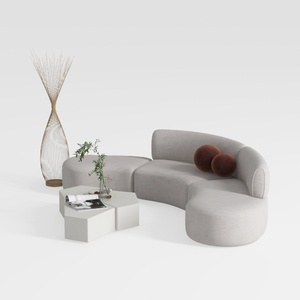
Minimalist Fabric Curved Sectional Sofa 3D Model


Minimalist Fabric Curved Sofa With Throw Pillow 3D Model
Homestyler is an amazing online home design platform that makes your vision come alive! With its user-friendly design tool, stunning 3D renderings, diverse design projects, and helpful DIY video tutorials, transforming your space has never been easier. Get started and unleash your creativity today!
立即免费设计
































