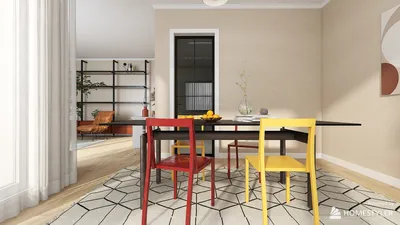


Crafting a 3D model scan can appear intimidating at first glance, but armed with the right techniques and tools, anyone can yield remarkable outcomes. A 3D model scan serves as a vital component across numerous fields such as design, gaming, and engineering. Whether your goal is to replicate an item or digitize an environment, let's uncover how to streamline and simplify this procedure effectively using platforms like Homestyler.
Grasping 3D Scanning Techniques
Before jumping into the various techniques for generating a 3D model scan, it's important to familiarize yourself with the different scanning methods available. Notable options include laser scanning, photogrammetry, and structured light scanning. Each method presents its own set of advantages and disadvantages, making the selection of the appropriate technique crucial for enhancing the quality of your scans.
Laser scanning ranks as one of the most precise techniques, ideal for projects involving architecture or large-scale objects. Conversely, photogrammetry takes advantage of images captured from multiple angles to form a 3D model, making it an accessible choice for novices. Meanwhile, structured light scanning utilizes patterns of light in conjunction with cameras to achieve intricate detail, particularly with smaller items.
Essential Gear for 3D Scanning
To initiate your first 3D model scan, certain essential equipment is necessary: a 3D scanner or camera, dedicated software, and a stable setting. Beginners can even start with a smartphone that has the right application. For superior quality, think about investing in a specialized 3D scanner, as these devices come armed with advanced features to boost your scanning experience.
Software options like Autodesk ReCap and Agisoft Metashape are excellent for processing your scans, transforming raw data into remarkable 3D models. Keep in mind that arranging your environment in a well-lit, clutter-free manner will significantly enhance the accuracy of your scans, so prepare your space accordingly.
A Step-by-Step Guide to Creating a 3D Model Scan
Let’s embark on a detailed walkthrough of the process to create your 3D model scan:
1. Select Your Object: Begin with an item that is simple to scan—small and uncomplicated shapes are ideal for starters.
2. Configure Your Environment: Make sure your object is well-illuminated and devoid of distracting backgrounds. This will enable your scanner or camera to capture intricate details more effectively.
3. Conduct the Scan: With your chosen device, thoroughly scan the object. If using photogrammetry, capture numerous photos from various perspectives to ensure complete detail coverage.
4. Process the Data: Import your scan files into your preferred software and engage in the processing phase. Follow the guidance to align and merge the images or point clouds into one cohesive 3D model.
5. Polish Your Model: After processing, refine the scan by addressing any imperfections, adding textures, or making scale adjustments.
6. Export Your Model: Lastly, export your 3D model in your preferred format (such as .OBJ or .STL) for integration into design projects or for 3D printing.
Tips for Effective 3D Scanning
To optimize your 3D scanning results, consider the following advice:
- Keep a steady hand or utilize a tripod to prevent motion blur during scanning.
- Experiment with a variety of lighting conditions to determine what yields the best results for your specific object.
- Take your time with the scanning process—ensuring comprehensive coverage is key to achieving the best results.
Frequently Asked Questions
Q: What is the optimal technique for scanning small objects? A: Photogrammetry is generally regarded as the best approach for small objects due to its accessibility and level of detail.
Q: Can I utilize my smartphone for 3D scanning? A: Absolutely! Many smartphones can perform effective 3D scans when paired with specific applications.

Discover Homestyler, your go-to online home design platform! With its user-friendly design tool, stunning 3D renderings, and a wealth of design projects and DIY video tutorials, transforming your dream space into reality has never been easier. Get inspired and start designing today!
Desain sekarang Gratis
































