

Creating a 3D model rig is an essential aspect for animators, game developers, and interior designers seeking dynamic and lifelike representations in their digital projects. Rigging entails constructing a digital framework—a system of interconnected bones and controllers—that facilitates fluid movements and realistic distortions of 3D models. Mastering the rigging process in any professional software such as Maya, Blender, or tools like Homestyler opens the door to unlimited creative potential and technical precision.
Step 1: Prepare Your 3D Model
Before diving into the rigging process, it's crucial to ensure that your model is well-structured and free of unnecessary geometry. Resetting the scale and rotation will lead to a smoother rigging experience and more reliable deformations in the final product.
Step 2: Build the Skeleton
Begin by creating the primary bones (joints) that correspond to your model’s anatomy. For characters, you'll typically need a spine, limbs, neck, and head. For dynamic elements in interior design, set up bones representing movable parts such as reclining mechanisms or cabinets.
Step 3: Establish Bone Hierarchies
Rigging depends on parent-child relationships, where moving a parent bone directly affects all its children. It is essential to arrange your bones logically to mirror natural movement chains, like the upper arm serving as a parent to the lower arm.
Step 4: Skinning or Weight Painting
Connect your mesh to the created skeleton, enabling the bones to manipulate the geometry. Weight painting is a crucial aspect that fine-tunes how much control each bone exerts over specific areas of the mesh, ensuring smooth bends at joints such as elbows and knees.
Step 5: Add Controls and Constraints
Implement controls (like inverse kinematics or custom rigs) to simplify and streamline the animation process. These controls allow for efficient rig adjustments without the need to manipulate each bone individually.
Step 6: Test and Iterate
After setting up your controllers, move and rotate them to identify any unusual deformations. It’s common to adjust weights and reposition bones during this iterative process before finalizing a production-ready rig.
As an experienced interior designer, I've discovered that mastering rigging techniques greatly enhances the presentation of dynamic room layouts, animated furniture, or simulating mechanisms during client discussions. Utilizing advanced design tools like Homestyler can significantly boost the realism and appeal of your projects, bringing your ideas vividly alive for stakeholders.
Tips 1:
- Maintain an organized naming system for your bones and controllers—this will save you substantial time later on. - Utilize reference images or studies of real-life movements to increase rigging accuracy, especially for anatomical figures. - Always back up your project at key points to prevent data loss. - Investigate auto-rigging features in your software but ensure to confirm any manual adjustments for optimal results. - In the realm of interior design, use rigs to animate elements like custom cabinetry, lighting, or adaptable furniture in presentations.
FAQ
Q: What software can I use for 3D model rigging?
A: Notable software includes Blender, Maya, 3ds Max, and Cinema 4D, all offering comprehensive rigging functionalities for both character and object animations.
Q: Do I need animation skills to rig a model?
A: While basic animation knowledge can benefit the design of effective rigs, it is not strictly necessary to be a proficient animator in order to rig successfully.
Q: How significant is weight painting in the rigging process?
A: Weight painting is vital as it affects how your mesh deforms—ineffective weights can result in unrealistic movements. It is an indispensable step toward achieving quality visuals.
Q: Is rigging applicable to non-character models?
A: Certainly! Rigs can be utilized for any animate entity, including mechanical systems, furniture pieces, and architectural components.
Q: In what ways does rigging enhance interior design presentations?
A: Rigging enables animation of features like doors, drawers, and movable furniture, resulting in interactive and captivating visualizations that persuade clients effectively.
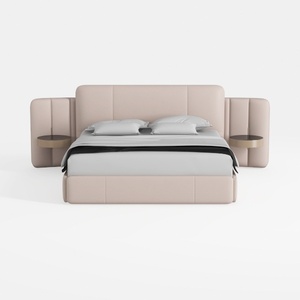
Minimalist Blush Fabric Upholstered King Bed with Attached Side Tables 3D Model



Minimalist Boucle Curved Sofa 3D Model
Transform your home with Homestyler, the ultimate online design platform! Enjoy an intuitive design tool, stunning 3D renderings, and a wealth of inspiring design projects and DIY video tutorials. Whether you're a beginner or an expert, bring your creative vision to life effortlessly!
立即免费设计
































