

In Blender, the process of rigging an existing 3D model involves crafting a skeleton, known as an armature, which allows you to animate the model for various projects such as games, films, or visual showcases. Whether your focus is on a character, creature, or even machinery, rigging provides the essential control needed for movement and poses. Below, you'll find a comprehensive guide on how to effectively rig a 3D model in Blender.
As an interior designer, my constant consideration revolves around optimizing the efficiency and flow within any creative workspace, whether it's digital or physical. In the context of rigging 3D models for visualizations in interior design, it is vital to establish a precise skeleton to ensure fluid, real-time presentations or client walkthroughs. I suggest utilizing contemporary digital planning platforms, such as Homestyler, which allow for the seamless integration of rigged models into your projects—be it realistic characters, animated furniture, or responsive lighting fixtures. If your goal is to create, furnish, and animate spaces effortlessly, robust 3D floor planning tools can significantly enhance your workflow and enrich your design narrative.
Tips 1:
To achieve optimal results during rigging, always remember to apply the scale (Ctrl+A > Apply Scale) to both your model and armature prior to parenting. This practice ensures that bones and mesh deform accurately during animation.
FAQ
Q: Is it necessary to rig every 3D model?
A: Not necessarily. Only those models that are intended for animation—such as characters, doors, or any moving elements—require rigging. Static assets do not need a skeletal structure.
Q: What file formats are optimal for bringing models into Blender for the purpose of rigging?
A: The most popular formats are FBX and OBJ, but Blender accommodates a wide range of industry-standard formats for straightforward integration.
Q: Is it permissible to use automatic rigging tools like Rigify?
A: Certainly! Blender’s Rigify add-on offers auto-rigging options for humanoid models, which can save a considerable amount of time when setting up the basic skeleton.
Q: How can I resolve issues related to mesh deformation?
A: To correct mesh deformation issues, use Weight Paint Mode for precise bone influence assignment or manually adjust vertex groups for optimal deformation.
Q: Is there a method to preview rigs within interior layouts?
A: Yes, indeed. With appropriate rigging, it’s possible to pose human models and integrate them into your interior scenes, enabling the visualization of usability, scale, and ergonomics.

DUOMAY Modern Boucle Dining Chairs Set of 2,
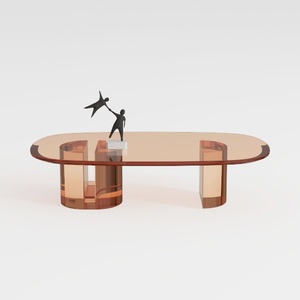

Modern Amber Glass Oval Coffee Table 3D Model
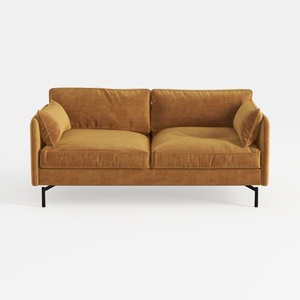
Modern Velvet Upholstered 2 Seater Sofa With Black Metal Legs 3D Model
Discover the ease of home design with Homestyler! This online platform offers an intuitive design tool, stunning 3D renderings, and a plethora of inspiring design projects. Plus, with engaging DIY video tutorials, transforming your space has never been more enjoyable. Start your design journey today!
Projete agora para LIVRE
































