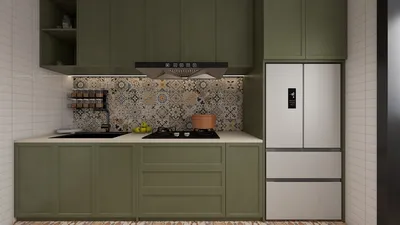


Repairing intricate 3D models can be overwhelming, especially for those just starting out. Yet, grasping the involved processes can simplify your task. Below is a clear and effective guide to assist you in troubleshooting and rectifying any issues you encounter.
Recognize Common Issues:
Before diving into repairs, it’s crucial to pinpoint frequent problems found in 3D models, including non-manifold edges, inverted normals, and mesh holes. These complications can greatly impact the quality of your final render.
Step 1: Inspect the Model:
Utilize your 3D modeling application to closely inspect the model. Look for visible mesh errors or inconsistencies. Zooming into problematic areas can greatly enhance your troubleshooting effectiveness.
Step 2: Address Non-Manifold Edges:
Non-manifold edges are those that lack a definitive inside or outside. Such edges can cause significant complications during rendering or printing. Most 3D modeling tools come equipped with features designed to detect and resolve these edges. Take advantage of the mesh cleanup tools provided by your software, like Homestyler, for efficient repairs.
Step 3: Adjust Normals:
Inverted normals may create unusual visual artifacts within your model. Confirm that all normals are oriented outward by selecting all faces and employing the 'flip normals' option or a similar command available in your software.
Step 4: Close Holes:
Holes in your mesh can also pose problems. Use the fill hole function in your tool to close any gaps; you can typically find this option under the mesh repair menu.
Step 5: Eliminate Duplicates:
Overlapping vertices or faces may lead to rendering issues. Apply the merge vertices feature to remove duplicates and refine your model.
Step 6: Optimize the Model:
After making the necessary repairs, optimizing the model is advisable to ensure it is ready for printing or rendering. Think about reducing polygon count if it is excessively high or verifying that all textures are applied properly, possibly with tools like Homestyler to enhance your workflow.
Prevention Tips:
Post-repair, consider these preventative measures: consistently save incremental versions of your work and routinely check for errors while you design, which can save you hassle in the long run.
FAQ
A: Non-manifold edges refer to edges that do not clearly define an inside or an outside, potentially causing issues in 3D printing and rendering.
A: To correct inverted normals, select your model and access the flip normals command available in your 3D software.
A: Employ the fill hole function found in your software's mesh repair tools to effectively close any gaps.



Homestyler is your go-to online design platform for transforming your home! With its easy-to-use design tool, stunning 3D renderings, and informative DIY video tutorials, you can create beautiful spaces tailored to your vision. Dive into endless design possibilities today!
Concevez maintenant gratuitement
































