

Combining 3D models that have been separated can be a simple task if approached correctly. Whether you are engaged in a design initiative or enhancing a detailed model, mastering the art of merging these components will significantly boost your creativity and expertise.
To get started, make sure to have your software up and running with the individual 3D models you intend to merge. Tools like Homestyler, Blender, or Tinkercad offer functions that facilitate the merging of 3D objects. Select each model and utilize the merge function to unite them effortlessly. This method not only streamlines your workflow but also allows for a clearer visualization of the final design.
Understanding the Combine Process
When a 3D model is separated, it usually requires adjustments for the pieces to fit together properly. Ensure that the cut edges of each segment align accurately to preserve the structure's integrity. Most modeling tools include snapping or alignment features that can help position each piece flawlessly.
Once your models are aligned, it's wise to inspect for any gaps or overlapping vertices. Many software options provide a cleanup tool that can resolve these problems automatically, ensuring a smooth surface on your final design.
Tips for Successful Merging
1. **Use Reference Images**: Prior to merging, consider utilizing reference images of your intended final model. This practice helps you stay focused on your vision.
2. **Experiment with Textures**: While merging models, try out various textures and materials to observe their interactions.
FAQ
Q: Which software is ideal for combining 3D models? A: Well-known software options like Blender, Tinkercad, and Homestyler stand out for their user-friendly merging capabilities.
Q: How can I resolve alignment issues while merging models? A: Utilize the snapping features in your software to properly align edges and eliminate gaps.
Tips 1:
To ensure a smoother merging experience, it’s essential to save your work frequently. Creating backups of your models can help prevent data loss and allow you to revert to earlier versions if needed. Always take into account the scale of your models; merging objects of varying sizes without adjusting their dimensions may lead to unforeseen issues in the final design.
FAQ Continued
Q: What steps should I take if my merged model becomes overly complex or heavy? A: You might want to simplify the model by lowering polygon counts or utilizing decimation features available in various software applications to enhance manageability.

Minimalist Concrete Planter Pot with Indoor Greenery 3D Model
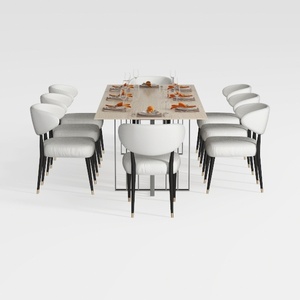
GarveeHome Natural Rattan Dining Chairs Set of 2
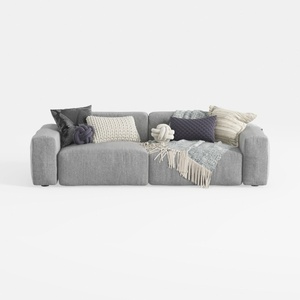
Minimalist Fabric Large Sectional Sofa with Decorative Pillows 3D Model
Discover Homestyler, the ultimate online home design platform! With its user-friendly design tool, stunning 3D renderings, and a wealth of inspiring design projects and DIY video tutorials, transforming your space has never been easier. Dive into creativity and realize your dream home today!
Concevez maintenant gratuitement
































