


Precision in 3D modeling is essential for successful design and planning processes. Knowing how to accurately measure a 3D model can significantly enhance the efficiency of your project.
To start, it’s essential to explore the tools at your disposal for capturing those measurements. Software applications like Homestyler offer integrated measurement functionalities that can assist you. Simply open your 3D model and locate the dimension tool, commonly depicted with a ruler icon.
Next, utilizing the grid feature available in your software can help position elements and achieve precise measurements of your spaces. Make sure you select the appropriate scale; having a design that looks appealing on-screen yet doesn't fit in reality can lead to complications!
Understanding Scale and Dimensions
In this segment, it's vital to become acquainted with the scale settings within your software. Most applications allow you to customize the units of measurement (like feet or meters) to suit the requirements of your project. You can set this in the preferences menu, ensuring accurate reflection in your measurements.
Another valuable tip is to always verify the measurements. Dimension lines and measurement labels are instrumental in confirming that each component of your design is well-balanced. This becomes particularly crucial in smaller spaces, where every inch matters.
Using External Measurement Tools
If your software doesn’t provide sufficient tools, consider leveraging external measurement instruments. 3D scanning technologies can capture the dimensions of physical objects and transform them into digital representations.
Additionally, traditional tools like measuring tapes or laser distance measurers are useful for obtaining accurate measurements, especially when modeling around existing room features. Be sure to take multiple measurements to validate accuracy before starting the modeling process.
Tips for Accurate Measurements
To enhance your measurement precision, begin with a comprehensive plan of your area before employing any digital tools. Visualizing the layout can avert oversights during the measurement phase. Furthermore, utilizing diverse software tools can give you a comprehensive perspective on dimensions and help reduce inconsistencies.
Lastly, maintaining your device's calibration is vital; dedicating time to ensure your hardware is in optimal condition guarantees precision while capturing measurements.
FAQ
A: You can utilize the built-in measurement tools within applications such as Homestyler and sketching software, or resort to external instruments such as 3D scanners, measuring tapes, and laser distance measurers.
A: Always corroborate your measurements, effectively use dimension tools, and confirm using outside devices if needed.
A: Regularly update your software, make use of snap-to-grid features, and ensure that all project members are aligned on measurement procedures to achieve consistent accuracy across the project.

Minimalist Linen Fabric Slipcover Three Seater Sofa 3D Model
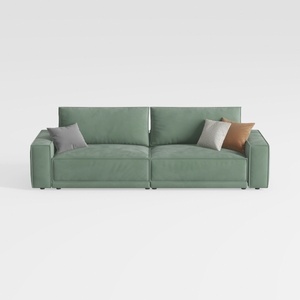
Minimalist Sage Green Fabric Sofa with Decorative Throw Pillows 3D Model
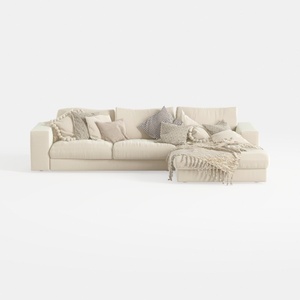
Minimalist Beige Fabric L Shaped Sectional Sofa with Throw Pillows 3D Model
Homestyler is an outstanding online home design platform that makes your interior design dreams a reality. With its user-friendly design tool, stunning 3D renderings, an array of design projects, and helpful DIY video tutorials, you’ll find everything you need to create your perfect space!
立即免费设计
































