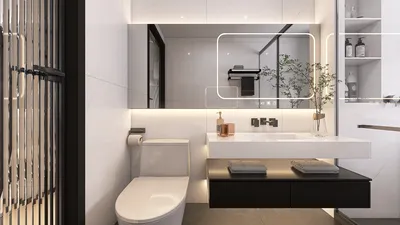


Edit 3D models with creativity and ease using Homestyler! Whether you’re a novice or a seasoned artist, this comprehensive guide will help you navigate the essential steps for effectively modifying your 3D creations.
Getting Acquainted with the 3D Model Interface:
Begin by familiarizing yourself with the 3D model interface in Homestyler. In the 3D Palette, you’ll discover all your loaded 3D models. A solid understanding of the tools available in this section is the first step towards effective editing.
You'll have options to rotate, scale, and reposition your model. Simply click on the model to select it, and the bounding box will show which parts are manipulable.
Modifying 3D Model Properties:
To make the necessary adjustments, select your model and head over to the 'Tool Property' panel. This is where you can alter the color, material, and lighting settings. Playing around with these features can significantly transform the look of your model.
Consider experimenting with various materials to discover what aligns best with your artistic vision—adding texture and depth can truly make your model pop! Remember to save your progress regularly.
Incorporating Tokens and Textures:
You can enhance the visual appeal of your 3D model by applying textures and tokens. To import textures, go to File > Import, and choose those that harmonize with your design.
Tokens can greatly improve the character of your artwork. Adjusting tokens can infuse life into your model, so don’t hesitate to try out various shapes and designs.
Best Practices for Successful 3D Model Editing:
1. Always work with separate layers for enhanced control over your edits. This setup allows for more convenient adjustments later on.
2. If you want to finalize certain changes while preserving your original model, make use of the baking function.
3. Frequently utilize the ‘Undo’ feature to revert any changes that do not turn out as you intended.
Frequently Asked Questions
Q: Is it possible to animate 3D models in Homestyler? A: Absolutely! The animation features allow you to create movements for your 3D models, providing more dynamic presentations.
Q: Are there particular 3D model types that perform better in Homestyler? A: While Homestyler supports a range of model types, simpler models tend to deliver superior performance and ease of editing.
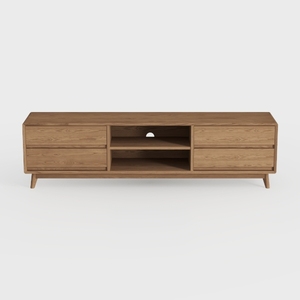
OKD TV Stand for 75+ Inch TV, Mid Century Modern
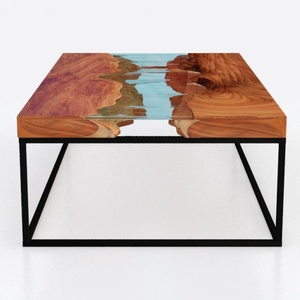
Custom 3D Waves Ocean Dining Table, Blue Ocean
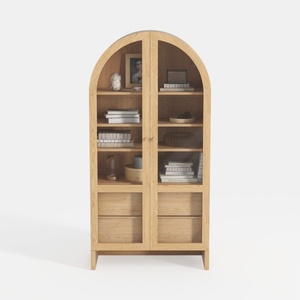
Minimalist Solid Wood Arched Display Cabinet 3D Model
Homestyler is your go-to online home design platform, perfect for anyone looking to revamp their space! With an intuitive design tool, impressive 3D rendering features, and a wealth of design projects and video tutorials, you’ll effortlessly create your dream home. Start designing today!
Desain sekarang Gratis
































