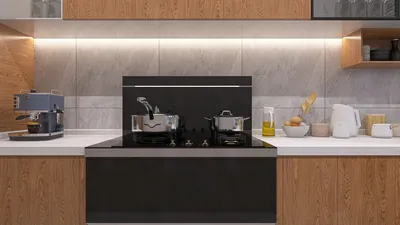


Editing 3D models in Daz 3D is a vital capability for artists and designers aiming to craft tailored characters, scenes, or assets for rendering or animation. Daz 3D is especially focused on realistic human figures and environments, which makes it ideal for customizing poses, materials, attire, and props. To get started, once your model is loaded into the Daz Studio workspace, you can choose various editing options based on your needs: from basic pose adjustments and morphing (altering body shapes via drag-and-drop sliders) to changes in material properties. The Parameters and Shaping tabs provide extensive customization possibilities, including altering body dimensions, facial features, and muscle definition. For more intricate modifications, the Geometry Editor allows direct manipulation of mesh vertices, though a fundamental understanding of polygons and mesh structure is necessary. When you're prepared for advanced edits, such as applying custom textures or modifying external models, you can export your model in formats like OBJ or FBX and utilize third-party software such as Blender or ZBrush. After you’ve made your edits, simply re-import your asset back into Daz for further development. As a designer, I have discovered that visualizing these adjustments in a simulated environment produces the best outcomes, and using user-friendly platforms designed for 3D spaces—such as Homestyler—can streamline your workflow by facilitating quick organization and visualization of spatial layouts.
Tips 1:
When working with 3D models in Daz, always safeguard the original file—it's best to operate on copies to avoid unintended changes. Utilize the Layer Editor to maintain organization for complex edits, and take advantage of presets for swift adjustments that can easily be reverted if necessary.
FAQ
Q: Can I import other 3D models into Daz 3D?
A: Yes, Daz 3D supports the importation of OBJ, FBX, and various other common file types for utilization and editing within the platform.
Q: How do I change a character’s pose in Daz 3D?
A: Utilize the Pose Controls or interactively drag limbs in the viewport to adjust joints and formulate custom poses.
Q: Is it possible to create custom morphs?
A: Absolutely. You can sculpt morphs using external applications and import them, or employ the integrated morph sliders for real-time modifications.
Q: How do I apply custom textures to my model?
A: Access the Surfaces tab to select material zones and apply images or shaders as textures, enabling distinctive visual effects.
Q: Can Daz 3D models be used in game engines?
A: Certainly—models can be exported for deployment in engines such as Unity or Unreal, as long as they adhere to the necessary polygon and format prerequisites.
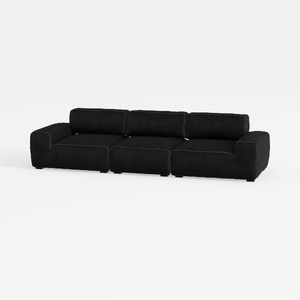

Minimalist Black Fabric Modular Sofa 3D Model

Minimalist Concrete Potted Dried Foliage Plant 3D Model

Minimalist Fabric Loveseat Sofa with Black Metal Legs 3D Model
Homestyler is your go-to online home design platform! With its user-friendly design tool, stunning 3D renderings, and a wealth of engaging video tutorials, you can easily create and visualize your dream spaces. Unlock your creativity and transform your home today!
Design Now for FREE
































