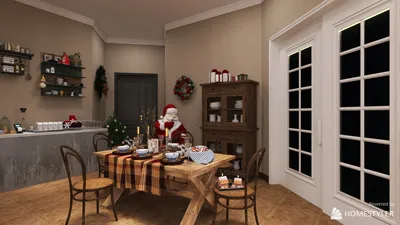


Transforming 3D models in Blender paves the way for endless creative opportunities, ranging from unique character designs to innovative artistic interpretations and architectural forms. To manipulate a 3D model, simply select your target object and enter Edit Mode, or opt for modifiers while remaining in Object Mode. Common techniques for achieving distortion include employing the Proportional Editing tool (activated by pressing 'O'), which enables you to affect adjacent vertices for smooth, organic changes, or utilizing modifiers like 'Displace,' 'Simple Deform,' and 'Lattice.' The 'Displace' modifier uses textures to push geometry outward, while 'Simple Deform' allows for versatile twisting, bending, and tapering effects. Alternatively, Sculpt mode provides brush-based deformations in real-time for either subtle or chaotic detailing. With Blender's extensive toolkit, you have limitless control over model distortion. Experimenting with various modifiers and sculpting brushes can yield extraordinary and functional results for interior designs, prototypes, or artistic displays.
Tips for Distortion:
For designers, distortion serves more than just an aesthetic purpose; it sets the mood and directs the viewer's gaze within a space. When preparing distorted models for presentations or virtual showrooms, consider using a tool like a 3D Render Home platform. This will help you visualize the impact of these distorted forms in realistic settings prior to actual implementation, ensuring your designs resonate effectively.
FAQ
Q: What are the simplest methods for distorting a 3D model in Blender?
A: Utilize the Proportional Editing tool, apply displacement textures, or experiment with modifiers such as 'Simple Deform' or 'Lattice' for quick and effective distortions.
Q: Is it possible to stack multiple distortion modifiers simultaneously in Blender?
A: Absolutely! You can layer modifiers (such as 'Displace,' 'Wave,' and 'Simple Deform') to create intricate results and manipulate their order for varying effects.
Q: How can you prevent mesh artifacts when applying distortion?
A: Begin with a dense yet well-structured mesh, apply smoothing modifiers, and steer clear of excessive stretching to achieve cleaner and more polished results.
Q: Is Sculpt mode superior for achieving organic distortions?
A: Yes, Sculpt mode provides a more natural and artisanal control, which is particularly effective for detailed surface manipulation and organic shapes.
Q: Can distorted models be rendered convincingly for interior environments?
A: Indeed! By leveraging advanced rendering engines or 3D visualization platforms like Homestyler, you can place and illuminate distorted models within realistic environments, making for impactful presentations.

Modern Olive Green Velvet Loveseat Sofa with Metal Legs 3D Model
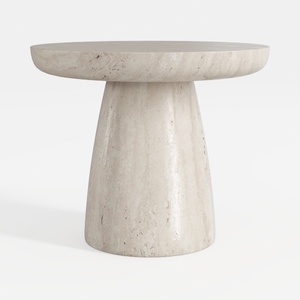
Minimalist Travertine Round Side Table 3D Model

Minimalist Linen Fabric Slipcover Three Seater Sofa 3D Model
Homestyler is the ultimate online platform for anyone looking to transform their home! With its user-friendly design tool, stunning 3D renderings, and a wealth of inspiring design projects and tutorials, you’ll effortlessly bring your vision to life—no experience needed!
Progetta ora GRATIS
































