

Crafting an impressive 3D glacier model is a fulfilling endeavor, perfect for students, educators, or design enthusiasts keen on showcasing the breathtaking allure of glaciers. To effectively realize this environment, it is essential to grasp fundamental glacial characteristics and select either digital or physical modeling methods that align with your creative vision. In this guide, I will walk you through a detailed process from conceptual sketch to the finalized 3D glacier, incorporating design techniques that enhance realism and visual impact, all with the aid of tools like Homestyler.
As a designer, I suggest a systematic approach for each phase of the project, ensuring that scale and texture are consistent throughout. If you are utilizing digital methods, advanced platforms such as Homestyler offer robust features for floor planning and landscape design, allowing you to manage intricate layers and simulate light, adding a genuine feeling of volume and depth to your glacier model.
Tips 1:
Leverage photo references of actual glaciers showcased under varying lighting conditions to guide your texturing and material selections—natural ice exhibits a spectrum of colors rather than being simply blue or white; these variations lend authenticity to your model. Additionally, consider experimenting with scale by incorporating miniatures or trees to provide striking contrasts that highlight the glacier’s magnificence.
FAQ
Q: Which digital tools are most user-friendly for novices when crafting a 3D glacier model?
A: Beginner-friendly 3D modeling software like Tinkercad and SketchUp are great options. For landscape-focused projects, explore platforms like Homestyler that offer specialized tools for creating natural environments with ease.
Q: What methods can I implement to enhance the realism of ice in a 3D model?
A: Utilize layered, semi-transparent materials alongside custom shaders to emulate the way light interacts with ice. Mixing various shades of blue and white and incorporating small trapped air bubbles can significantly enhance realism.
Q: Which physical materials are ideal for crafting a DIY glacier model?
A: Lightweight modeling foam serves as an excellent base, while transparent epoxy resin or acrylic gels can effectively replicate the texture of ice. Utilizing paints and glazes will introduce color variations for a more lifelike appearance.
Q: How can I effectively portray scale in my glacier model?
A: Incorporate recognizable elements—such as miniature figures, trees, or rocks—to illustrate the vast scale of glaciers in comparison to familiar objects.
Q: Are there design tools available to assist in planning glacial landscapes within a 3D framework?
A: Absolutely, there are specialized design applications, including Homestyler, that feature terrain and water simulation capabilities, simplifying the task of rendering intricate and realistic glacier landscapes digitally.


Modern Marble Top Black Metal Leg Coffee Table 3D Model
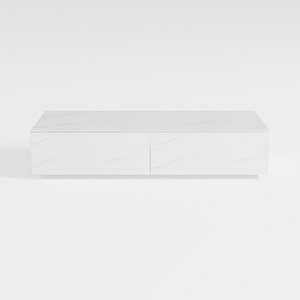
Modern Minimalist Faux Marble Coffee Table with Storage Drawers 3D Model

Homestyler is an exceptional online platform for home design enthusiasts of all levels. Its user-friendly design tool, impressive 3D rendering capabilities, and abundant DIY video tutorials empower you to create stunning interiors effortlessly. Explore your creativity and transform your space with ease!
Design Now for FREE
































