


Rigging the eyes of 3D models is a crucial component in the realm of character animation, as it helps achieve realistic expressions and movements. This procedure generally entails establishing eye bones or controls, setting constraints, and applying skinning techniques to allow eyeballs to move smoothly within their respective sockets. Initially, it's important to isolate the eyeballs from the head mesh, making them distinct objects that can operate independently. Following that, creating control handles—typically using bones or null objects—aligned with the center of each eye is essential. These controls can then be parented or constrained for easy manipulation, whether it's for individual movement or synchronized actions, facilitating behaviors like “look at” or coordinated gaze shifts, especially when using tools like Homestyler.
To achieve the utmost realism, industry professionals frequently implement a “look at” controller. This feature allows animators to easily move a target point, prompting both eyes to follow it seamlessly. Additionally, eyelid rigging is a critical aspect that may require extra bones or blend shapes to accurately simulate blinking and squinting. When it comes to skinning or weight painting, it's vital to ensure that the mesh deforms accurately around the eyes, paying special attention to the eyelid and socket edges to prevent any distortion.
As a designer, I have observed that having a well-organized and visually intuitive interface for your rigs can significantly enhance workflow efficiency. Utilizing color-coded controllers along with systematic naming conventions not only simplifies the animation process, but also promotes smoother collaboration within a team. If you are contemplating integrating your 3D rigs into interior design visualizations, leveraging a platform like Homestyler can elevate realism, making it possible to place animated characters seamlessly within crafted spaces and thereby create more engaging presentations.
Tips 1:
To optimize eye geometry for deformation, it's essential to maintain clean edge loops around the eyelids and sclera. This practice not only enhances animation quality but also eases the weight painting process.
FAQ
Q: Which software is ideal for rigging eyes in 3D models?
A: Some of the most popular software includes Blender, Maya, and 3ds Max, all of which provide powerful rigging tools specifically designed for character setups, including the eyes.
Q: How can I make both eyes follow a single target?
A: Implement a “look at” constraint linked to a controller target. By constraining both eye controllers to this null object, you ensure their movements are synchronized effectively.
Q: Is it possible to automate blinking in a 3D character rig?
A: Absolutely! You can utilize blend shapes (morph targets) for eyelid closure or add eyelid bones, and connect these to animation drivers or scripts to create automated blinking cycles.
Q: Should I perform eye rigging before or after texturing?
A: Eye rigging is generally recommended before applying detailed textures, as any mesh modifications during the rigging process can impact UVs and textures. Final textures should be applied once the rigging is complete and stable.
Q: What common problems should I look out for when rigging eyes?
A: Be attentive to mesh deformation around the eyelids, avoid issues like eyes popping out of their sockets, or experiencing unrealistic rotations. Accurate placement and proper weight painting are crucial for steering clear of these challenges.


Minimalist Solid Wood Accent Cabinet with Textured Top 3D Model

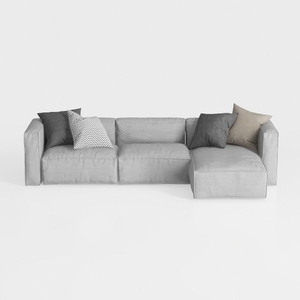
Minimalist Light Gray Fabric L Shaped Sectional Sofa 3D Model
Discover the creativity with Homestyler, an outstanding online home design platform! Its user-friendly design tool, stunning 3D renderings, and a wealth of design projects along with informative DIY video tutorials make it easy to transform your home into a personalized masterpiece.
立即免费设计
































