


Creating diagrams with a 3D visual effect can greatly enhance the quality of your presentations, helping to clarify complicated concepts. To begin crafting a diagram that showcases a 3D effect, it's essential to select appropriate tools and methodologies. Here’s a guide to get you started:
Grasping 3D Concepts:
To draw an effective 3D diagram, it’s vital to have a solid grasp of three-dimensional space. This includes understanding how to depict depth, volume, and perspective on a flat surface. Initiate your practice with simple forms like cubes and spheres to master the fundamentals. Which shapes do you find challenging when visualizing depth?
Selecting Appropriate Tools:
The selection of tools you utilize can greatly impact the quality of your diagrams. Whether you lean towards digital software or traditional hand-drawing, ensure that your tools enable you to convey depth perception effectively. For those crafting digital diagrams, programs such as Adobe Illustrator, AutoCAD, or innovative platforms like Homestyler are excellent selections. Do you prefer to create sketches by hand or utilize software for your diagrams?
Incorporating Shadows and Lighting:
One essential technique for achieving that desired 3D effect is the thoughtful application of shadows and lighting. Effective shadowing helps anchor your objects, while highlights indicate areas where light interacts with them. Experiment with various light sources and shadow placements in your drawings to enhance realism. Have you considered the impact of different light angles in your diagrams?
Delving into Perspective Drawing Techniques:
Mastering perspective is crucial for creating effective 3D visuals in your diagrams. Utilizing techniques such as two-point or three-point perspective will allow you to represent objects from various angles more accurately. Begin by outlining a horizon line and identifying vanishing points. How proficient are you with different perspective methodologies?
Practicing with 3D Models:
Finally, consider practicing with tangible 3D models. Arrange objects within your environment and sketch them from multiple viewpoints, or opt for digital models that you can manipulate and observe from different angles. This approach will deepen your grasp of dimensions and proportions. What kinds of 3D models are you excited to illustrate?
Frequently Asked Questions (FAQ)
In terms of tools, pencils, markers, and digital drawing tablets are excellent choices. Select tools that you find most comfortable to use.
Consistent practice and exploration of various techniques, especially in perspective and shading, can significantly boost your abilities.
Indeed, programs like Adobe Illustrator and Homestyler provide powerful resources to assist in developing impressive 3D diagrams.

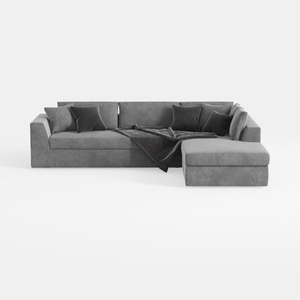
Minimalist Gray Fabric Sectional Sofa with Throw Pillows and Blanket 3D Model

Minimalist Fabric L Shape Sectional Sofa 3D Model
Homestyler is your go-to online home design platform! Its user-friendly design tool allows you to create and visualize stunning interiors. With impressive 3D renderings, diverse design projects, and helpful DIY video tutorials, transforming your space has never been easier. Let your creativity shine!
立即免费设计
































