


Are you prepared to breathe life into your property through an exquisite 3D design model? Whether you are a homeowner wanting to visualize transformations or a designer eager to wow clients, becoming proficient in 3D modeling is a must. Let’s explore effective strategies to create a 3D design model of your space. This process will not only bolster your design skills but also allow you to build captivating environments that connect with your audience.
To begin, gather all pertinent measurements of your property. This encompasses dimensions of rooms, windows, doors, and other structural features. Precise measurements serve as the foundation for your design, guaranteeing that the final model accurately represents reality. Dedicating time to this initial step will set a sturdy groundwork for a successful project.
Select the Appropriate 3D Design Software
The next crucial step is choosing the right 3D design software. Numerous options are on the market, ranging from beginner-friendly platforms like SketchUp to sophisticated tools such as AutoCAD or Blender. Depending on your skill level, select a software that caters to your requirements. For novices, Homestyler is a particularly accessible choice that offers numerous templates, while seasoned users might opt for the extensive customization options in Blender.
Constructing Your Model
Now it's the moment to start building your model! Initiate by outlining the basic framework—walls, flooring, and ceilings. Ensure each element is positioned accurately according to your earlier measurements. Following this, you can incorporate doors and windows to boost realism. This part is essential as it brings your design concept to fruition, forming a tangible representation of your creative ideas.
As you advance, ponder how you wish to leverage the available space. In what ways will natural light influence your design? This stage allows you to unleash your creativity while remaining consistent with your overall layout. Reflect on the interaction between various elements, ensuring they coexist harmoniously to form a comfortable living space.
Refining Your Design with Details
After establishing the basic structure, it’s time to enrich your model with finer details. This phase involves including furniture, décor, and landscaping. Focus on texture and color coordination to foster a unified appearance. 3D design goes beyond merely placing objects; it’s about narrating the visual story of your space. Integrate personal elements that echo the homeowner's taste and preferences to render a truly exceptional design.
Final Adjustments and Presentation
Once your model is complete, contemplate rendering it for an impressive presentation. Rendering enhances realistic lighting, shadows, and textures that bring your design to life. Many 3D software programs feature integrated rendering tools to assist in this stage. A well-rendered model can significantly improve your capability to convey your vision to clients or stakeholders.
Save and Share Your Masterpiece
Finally, after you are pleased with your design, remember to save it! You can share your 3D model with others for feedback or simply to display your work. Export the file in a suitable format, whether for virtual tours or printed showcases. Sharing your creations can yield invaluable insights and also inspire others along their design journeys.
FAQ
Q: Which software is most suitable for beginners looking to create a 3D design model?
A: Both Homestyler and SketchUp are excellent choices for beginners, offering intuitive interfaces and abundant resources to help you embark on your design endeavors.
Q: How can I ensure precision in my 3D design model?
A: Accurately measure your property and use these measurements as a reference while building your model. Utilizing a precise measuring tool will aid you in achieving exact dimensions that align with your envisioned space.

Minimalist Glass Top Solid Wood Base Irregular Coffee Table 3D Model
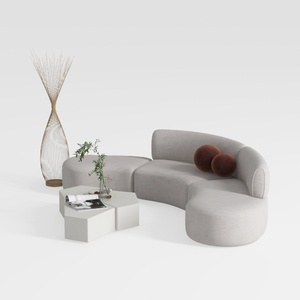
Minimalist Fabric Curved Sectional Sofa 3D Model
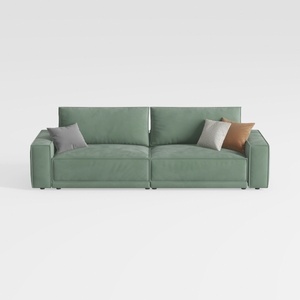
Minimalist Sage Green Fabric Sofa with Decorative Throw Pillows 3D Model
Homestyler is your go-to platform for transforming your home design dreams into reality. Its user-friendly online design tool, stunning 3D renderings, diverse design projects, and helpful video tutorials make it easy and inspirational to create your perfect space, no matter your experience level!
立即免费设计
































