


Designing eye-catching 3D models requires a solid grasp of the various tools and techniques involved in the process. Whether you're just starting out or you have significant experience in design, mastering the art of creating a flawless 3D circle can greatly enhance the quality of your projects. In this guide, we will walk you through the key steps to efficiently craft beautiful 3D circles, utilizing the capabilities of tools like Homestyler for an optimal experience.
An Introduction to 3D Modeling Software
To kickstart your adventure in crafting a 3D circle, it's essential to choose modeling software that fits your needs perfectly. Popular software platforms, including Blender, SketchUp, and AutoCAD, cater to different requirements, each offering unique functionalities. Select a program that aligns with your design goals and personal comfort level.
Once you have installed your chosen software, it's important to invest time in understanding its basic commands. Engaging with tutorials will help you navigate the user interface more effectively, increasing your efficiency throughout the modeling process, especially if you decide to use tools like Homestyler.
Step-by-Step Instructions for Creating a 3D Circle Model
1. **Launch your selected software**: Begin with a new project, setting your workspace to a grid layout for improved visualization of the dimensions of your circle.
2. **Choose the Circle Tool**: Navigate to the shape menu in your software to locate the circle tool, typically named 'Circle', 'Ellipse', or a similar variation. Activate this feature to begin your modeling.
3. **Draw your circle**: Click on the grid to define the center of your circle, then drag outward to outline the circumference while adjusting the radius to meet your desired specifications.
4. **Extrude for added dimension**: With the circle created, utilize the 'Extrude' function to convert your 2D shape into a 3D model, pulling it into the depth you require.
5. **Polish your model**: To boost the visual appeal of your circle, apply suitable materials and textures. Incorporating colors and finishes can significantly enhance your overall design.
6. **Save and Export Your Work**: Ensure that your project is properly saved. When necessary, export your final model in a format that is compatible with other software applications (such as .obj or .stl), especially for 3D printing purposes.
Tips for Mastering Your 3D Circle Model
Utilize functions like snap to guarantee precision, along with grid lines to maintain accurate alignment. Remember, the key to improvement is practice! Experimenting with circles at various sizes and thicknesses will hone your skills. Additionally, experimenting with different lighting and shading options can significantly enhance the visual attractiveness of your design.
Frequently Asked Questions
Q: Which software is optimal for crafting 3D models? A: Programs such as Blender feature great versatility, while SketchUp offers a user-friendly experience, and AutoCAD is perfect for advanced design tasks.
Q: What steps can I take to enhance my 3D modeling skills? A: Regular practice combined with online tutorials will greatly accelerate your proficiency in 3D modeling.


Minimalist White Solid Wood Office Desk With Storage Hutch 3D Model

Topjia Mid Century Desk with Drawers,Solid Wood Ho
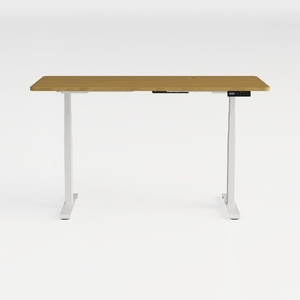
Modern Minimalist Solid Wood Adjustable Standing Desk 3D Model
Homestyler is your go-to online home design platform, perfect for transforming your space with ease. Enjoy an intuitive design tool, stunning 3D renderings, a wealth of design projects, and helpful DIY video tutorials, making home design both fun and accessible for everyone!
立即免费设计
































