

Designing 3D chess pieces can be an enjoyable endeavor for individuals who are new to 3D modeling, as well as for experienced designers. To embark on this project, choose a suitable 3D modeling software that aligns with your expertise—Blender, Autodesk Fusion 360, and Tinkercad are highly recommended options. Begin your journey by exploring the distinctive shapes of the various chess pieces such as pawns, knights, kings, queens, bishops, and rooks, each characterized by unique forms and intricate details. Start your creation process with basic geometric shapes like cylinders or spheres, utilizing editing features to modify these shapes into the desired profiles of the chess pieces. Focus on maintaining symmetry and proportion for an aesthetically pleasing design. Once the foundational structures are formed, proceed to enhance them with intricate elements like fillet edges or engravings at their bases, ensuring that every piece remains stable on a flat surface. As a designer, I find it invaluable to contemplate the purpose of these pieces: will they be used for digital simulations, 3D printing, or gaming? The intended use will guide you in determining the scale and complexity of the piece's surface. Incorporating design fundamentals such as balance, contrasting forms, and material representation can significantly improve the overall outcome. If you're interested in visualizing how your chess set fits within a particular space, leveraging tools like Homestyler can allow for the seamless integration of custom models into room configurations.
Tips 1:
When crafting intricate features like the knight’s head or the intricate details of the king and queen’s crowns, it's beneficial to study various design styles—from classic Staunton to minimalist versions or themed designs—to inspire your creation. Organizing different components on separate layers can make editing and rendering more manageable. Finally, when ready to share your designs or prepare for 3D printing, remember to export your models in widely used formats such as STL or OBJ.
FAQ
Q: What is the best beginner-friendly software for modeling chess pieces?
A: Tinkercad and Blender are excellent choices for beginners, thanks to their user-friendly interfaces and plethora of online tutorials.
Q: How accurate do the dimensions of chess pieces need to be?
A: For playable sets, it’s best to refer to standard chess dimensions or base your sizing on Staunton standards for uniformity and usability.
Q: Is it possible to 3D print my chess pieces after creating them?
A: Yes, definitely—just export your models as STL files and make sure they are structured properly to support the 3D printing process.
Q: How can I apply textures or colors to my digital chess pieces?
A: You can utilize the material and texture features in your modeling software, or if you are creating physical pieces, colors can be added post-printing using paint or finishing techniques.
Q: Do I have to model each chess piece individually?
A: While it's common to duplicate pawns, each major piece—knight, bishop, rook, queen, and king—should be modeled individually to reflect their unique designs.
Q: Are there any free models of chess pieces available?
A: Yes, numerous online repositories such as Thingiverse and Sketchfab provide downloadable 3D chess sets, which can be a convenient way to bypass the initial modeling process.


writing desk-Little Borrowers’ Cozy House

Minimalist Walnut Solid Wood Black Metal Electric Standing Desk 3D Model
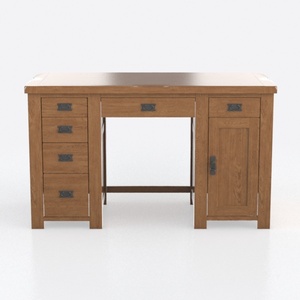
Rustic Solid Oak Office Desk With Storage Drawers Cabinet 3D Model
Homestyler is your go-to online home design platform, perfect for transforming your ideas into reality. With its easy-to-use design tool and stunning 3D renderings, you can explore countless decoration projects. Plus, a wealth of DIY video tutorials will inspire you every step of the way!
Design jetzt kostenlos
































