


Rigging a 3D character model is a vital process for both animators and game developers, as it determines how characters move and engage with their digital surroundings. To effectively rig a 3D character, one must grasp the anatomy of the character, adopt an efficient rigging workflow, and utilize appropriate tools. This process usually involves constructing a skeletal framework (known as an armature), implementing control rigs for natural movements, skinning the mesh to apply deformations, and examining the rig through various poses and animations to ensure functionality.
An optimal rigging workflow begins with meticulously clean modeling and proper scaling, alongside a well-thought-out topology. It is crucial to ensure that joints, such as elbows or knees, include sufficient edge loops for smooth deformation, which significantly impacts the final quality of the rig. Following this, develop a bone structure that corresponds to your character's anatomy. Integrate inverse kinematics (IK) and forward kinematics (FK) controls to provide versatile movement. After skinning the mesh to the skeleton, it's important to fine-tune weight paints to prevent any unnatural distortions. Always remember to test the rig by moving limbs and facial features to catch any odd deformations and rectify them as necessary.
As a designer, I highly recommend utilizing tools that simplify this intricate process. Modern 3D software and online platforms, such as Homestyler, provide AI-assisted rigging features. When crafting characters for interactive environments or virtual tours, a user-friendly 3D Floor Planner can facilitate the seamless integration of your rigged characters into these spaces. It also supports pre-visualization and effective space planning, ensuring that your character authentically interacts within a designed environment, thus enhancing the overall realism of your animation or game initiative.
Tips 1:
Maintain a well-organized rig by using clear naming conventions for bones and controls. Implement template rigs for common humanoid or animal figures to accelerate repetitive workflows and ensure consistency across projects.
FAQ
Q: What does rigging involve in 3D modeling?
A: Rigging involves creating a skeletal framework for a 3D model, allowing it to move and be animated in a realistic manner.
Q: Which software is the best for rigging 3D character models?
A: Popular options include Blender (which is free), Autodesk Maya, and 3ds Max, all of which boast extensive rigging functionalities.
Q: What are the distinctions between IK and FK in the rigging process?
A: IK (Inverse Kinematics) enables you to control a sequence of bones by manipulating the endpoint (like a hand), whereas FK (Forward Kinematics) involves rotating each joint from the root to the tip (as in an arm swinging).
Q: Why is proper mesh topology critical for rigging?
A: Good mesh topology is essential for ensuring the model deforms smoothly during animation, avoiding unwanted distortions around joints.
Q: How can I verify if my 3D rig functions correctly?
A: Test the character's controls through a full range of motions—such as walking, running, and twisting—to identify any mesh distortions or unnatural bends that may need adjusting.


Minimalist Solid Wood Accent Cabinet with Textured Top 3D Model
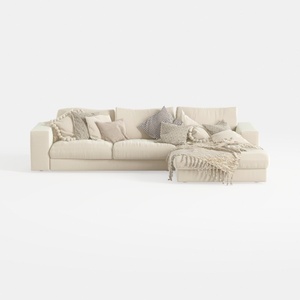
Minimalist Beige Fabric L Shaped Sectional Sofa with Throw Pillows 3D Model
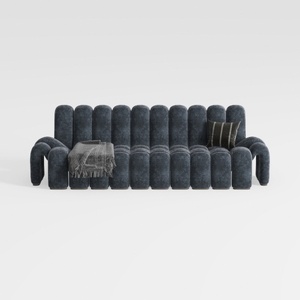
Modern Dark Blue Fabric Channel Tufted Oversized Sofa 3D Model
Discover the ease of home design with Homestyler! This user-friendly platform offers a powerful online design tool, stunning 3D renderings, a plethora of design projects, and helpful DIY video tutorials. Transform your space effortlessly, no prior experience needed!
Progetta ora GRATIS
































