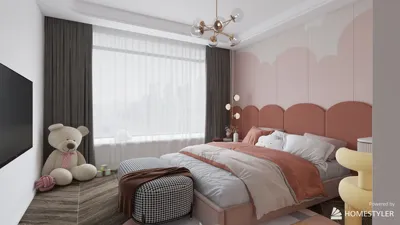


The process of creating a 3D character model has never been easier, even for those who are just starting out. Typically, this involves utilizing specialized software such as Blender, Autodesk Maya, or ZBrush to sculpt and manipulate your character within a virtual 3D environment. You begin by crafting a base mesh, which serves as a foundational shape representing the body of your character; from there, you gradually incorporate details, enhancing features and adjusting proportions. Many programs include user-friendly sculpting tools, symmetry functions, and ready-made templates that can significantly streamline the workflow. In addition, online tutorials and video lessons can guide you in mastering essential tasks like extrusion, subdivision, and posing. After your model has been shaped, you can proceed to texture and rig it for animation, ultimately exporting the finished character for various applications in gaming, art, or animation projects.
Pro Tip:
As a designer, I highly suggest contemplating how the character's design will engage with its environment. For example, if you are modeling a character meant to inhabit a home setting, using a Home Designer tool like Homestyler can be invaluable for visualizing scale, lighting, and contextual detail. This ensures that your character not only looks impressive on its own but also integrates harmoniously into the surrounding space, boosting the narrative and visual cohesion of your project.
Frequently Asked Questions
Q: Which software is ideal for simplified 3D character modeling?
A: Many beginners find Blender appealing because it is free and has strong community backing, while Maya and ZBrush offer advanced features albeit with a fee for licensing.
Q: Are artistic skills necessary to model a character in 3D?
A: Having basic artistic sensibilities can be beneficial, but the use of template meshes, reference images, and instructional materials can greatly ease the learning process for newcomers.
Q: Can I animate my 3D character post-modeling?
A: Absolutely! Most 3D modeling applications come equipped with rigging and animation capabilities, allowing you to pose and animate your character model effectively.
Q: How do I apply textures to my 3D character model?
A: You have the option to paint directly on the model using most software, or you can utilize external images that are mapped onto the mesh's surface to create textures.
Q: What are the common file formats for 3D character models?
A: Widely used formats include .obj, .fbx, and .blend, which are compatible with the majority of rendering and animation software.


Minimalist Concrete Large Planter Pot with Greenery 3D Model
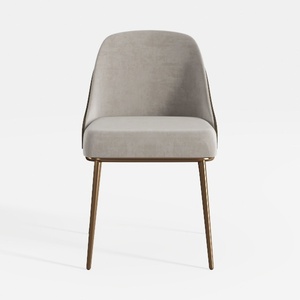
Modern Velvet Upholstered Brass Metal Frame Dining Chair 3D Model
Discover Homestyler, the ultimate online home design platform! With its user-friendly design tool, stunning 3D renderings, and extensive library of design projects, you can easily transform your vision into reality. Plus, explore DIY video tutorials to inspire your creativity. Start designing your dream space today!
Design Now for FREE
































