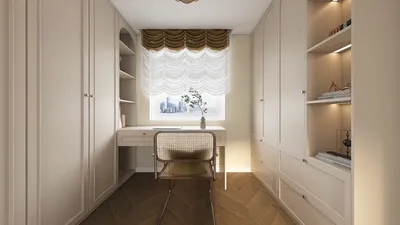


Bringing your imaginative character designs to life in 3D using Photoshop can be an impactful method, whether your focus is on game assets, animated features, or conceptual illustrations. Although not a specialized 3D modeling software like Blender or Maya, Photoshop provides a variety of powerful tools for creating, texturing, and rendering three-dimensional objects. Below are the essential steps to get you underway.
Tips 1:
Start with a solid 2D concept sketch. Utilize the brush tools in Photoshop to draft your character from various perspectives—front, side, and back—to ensure proper proportions and anatomical fidelity. Once you're content with your sketch, take advantage of the 3D workspace by navigating to 3D > New Mesh from Layer, which transforms your sketch into a 3D model. You can adjust the mesh's geometry, apply textures, and refine materials to enhance its realism. For a more authentic appearance, import textures that you've created—such as skin patterns, clothing, or even elements of the environment—into your 3D model via the 3D Materials panel.
As an interior designer, I see a strong connection between crafting 3D character models and designing spaces: detail orientation, lighting dynamics, and material choices are all crucial for achieving a realistic result. If you're keen on experimenting with high-quality spatial renders that embrace the same foundational concepts—light, texture, and spatial perception—consider using the 3D Render Home tool. It's perfect for those looking to become proficient in both environment and character design throughout their creative exploration with Homestyler.
FAQ
Q: Is it possible to create rigged 3D character models suitable for animation in Photoshop?
A: Photoshop is capable of developing and rendering 3D character models, but for complete rigging and animation, you would need to transfer your designs to a dedicated 3D software like Blender or Maya.
Q: What file formats can I utilize for 3D models in Photoshop?
A: Photoshop allows the import and export of several file formats for 3D modeling, including OBJ, 3DS, Collada (DAE), and KMZ.
Q: Can I paint textures directly onto my 3D model within Photoshop?
A: Absolutely, Photoshop enables you to paint directly onto 3D surface meshes by selecting the relevant 3D layer and employing the brush tool.
Q: Does Photoshop offer sculpting or advanced mesh editing capabilities?
A: No, the mesh manipulation tools in Photoshop are relatively basic when compared to specialized modeling applications. For intricate sculpting tasks, consider using ZBrush or Blender.
Q: What are the minimum hardware requirements for effective 3D modeling in Photoshop?
A: To facilitate smooth 3D modeling operations, a graphics card with at least 512 MB of VRAM and a multi-core processor is necessary. Having additional RAM and a more robust GPU will significantly enhance performance.


Modern Rattan Fabric Upholstered Loveseat Sofa 3D Model
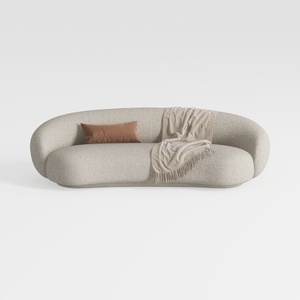
Minimalist Boucle Fabric Curved Sofa With Throw Pillow And Blanket 3D Model
Homestyler is your go-to online platform for home design! With its user-friendly design tool, stunning 3D renderings, a treasure trove of design projects, and helpful DIY video tutorials, you can effortlessly transform your design dreams into reality, regardless of your experience level!
立即免费设计
































