


Crafting a 3D bamboo model is an exhilarating undertaking that can significantly enhance your design portfolio. To initiate this creative process, selecting the appropriate software is crucial. Popular choices include Blender, Autodesk Maya, and even Homestyler for rapid visualizations. This guide will navigate you through the key steps to produce an impressive bamboo model.
Selecting Your Software:
Opt for a modeling software that you find user-friendly. Blender, being free, delivers powerful tools suited for organic modeling. Alternatively, Autodesk Maya excels for those who are already experienced with 3D design workflows.
Once you have chosen your software, take time to get accustomed to the interface. A solid grasp of basic navigation and tool functions will enhance your modeling efficiency.
Constructing Bamboo Segments:
The next phase involves crafting the segments of bamboo. Begin by generating a cylinder shape within your 3D software. Modify the height and diameter to reflect the actual proportions of bamboo.
To achieve the iconic segmented appearance, you can scale sections for a more organic effect or incorporate edge loops at the bamboo nodes. This technique adds both detail and realism to your model.
Incorporating Texture and Color:
After shaping the bamboo, the next step is to add texture. Research or create a bamboo texture map, then import it into your software to apply it to your model. Adjust the UV mapping carefully to ensure the texture fits seamlessly around the bamboo.
Experiment with a variety of colors, as natural bamboo often displays a spectrum from green to yellow depending on species and environmental influences.
Rendering Your Model:
Upon completing your model and applying textures, the concluding step is rendering. Select an optimal lighting arrangement to accentuate the features of the bamboo. Employing HDRI lighting can provide a unique aesthetic.
After rendering, you can save your model in several formats suitable for various design applications. Now, your 3D bamboo model is ready for presentation!
FAQ
Q: What software is ideal for modeling bamboo? A: Blender and Autodesk Maya are excellent choices for creating intricate 3D models.
Q: How can I texture my bamboo model? A: Utilize a bamboo texture map and apply it to your model, ensuring the UV mapping is adjusted properly.
Q: Can I use Homestyler for 3D modeling? A: Absolutely, Homestyler provides tools for visualizing designs in 3D, making it an ideal choice for quick modeling tasks.


Minimalist Solid Wood Console Table Single Drawer Storage 3D Model
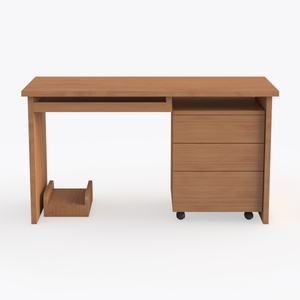
Minimalist Solid Wood Office Desk With Drawers And CPU Stand 3D Model

Modern Minimalist Solid Wood Metal Office Desk With Shelves 3D Model
Homestyler is your go-to online home design platform, perfect for both newbies and pros. With a user-friendly design tool, stunning 3D renderings, and a treasure trove of inspiring project ideas and video tutorials, you can effortlessly create your dream space. Start designing today!
立即免费设计
































