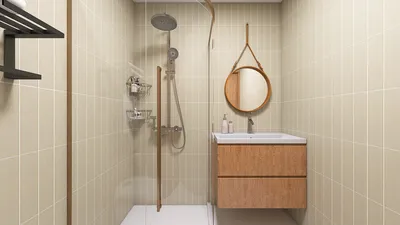


Crafting 3D architecture models is not only exhilarating but also a fulfilling experience. Whether you are an aspiring architect or an enthusiastic DIYer, mastering the art of constructing 3D models can significantly elevate your design projects. Utilizing tools like Homestyler can streamline this process by offering intuitive features specifically tailored for architecture enthusiasts.
To kick things off, it's essential to choose the appropriate software. Popular choices include SketchUp, AutoCAD, and Blender, which are favorites for both seasoned professionals and newcomers. These applications empower you to create intricate designs and visualize your concepts in three dimensions.
Following this, collect your materials and find reference images. If you are working on a specific architectural design, having photographs that display various perspectives and intricate details will greatly assist in your modeling efforts, ensuring greater precision.
Initiating Your Modeling Journey:
1. **Outline the Basic Structure**: Start by defining the core geometric shapes of your model. Utilize simple forms, such as cubes for buildings and cylinders for columns, to create the outline of your structure.
2. **Enhance Your Design**: After establishing the basic shape, enhance your model by incorporating elements such as windows, doors, and roofs. Refer to your inspirational images to ensure the size and positioning are accurate.
3. **Incorporate Textures and Hues**: To breathe life into your model, apply textures and colors. This crucial step contributes to a realistic appearance. Many design programs, including Homestyler, provide a vast library of textures to select from.
Finalizing Tips for a Stunning Model:
Always remember to save your progress regularly and utilize layers for improved organization. Periodically examine your model from various perspectives to confirm everything is in the right place.
Lastly, don’t overlook the importance of rendering your final model. Rendering improves the simulation of lighting and shadows, giving your architectural model a refined and sophisticated appearance.
Creating 3D architecture models is a delightful and educational pursuit. Success hinges on practice and daring experimentation. What masterpiece will you embark on next?
Frequently Asked Questions:
Q: Which software is ideal for beginners venturing into 3D architecture modeling? A: Many recommend SketchUp due to its user-friendly interface and abundant resources, but Homestyler is also an excellent tool for novices looking to get started quickly.
Q: How long will it take to become proficient in 3D modeling? A: Learning timelines can vary, yet with regular practice, you can start creating basic models within a few weeks.

Minimalist Solid Wood Linen Fabric Extra Long Sofa 3D Model

Minimalist Brown Velvet L Shaped Sectional Sofa 3D Model
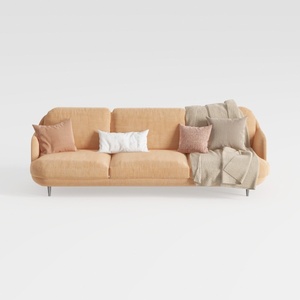

Modern Minimalist Peach Fabric Sofa with Throw Pillows and Blanket 3D Model
Homestyler is your go-to online home design platform, perfect for transforming your interior ideas into reality. With its user-friendly design tool, stunning 3D renderings, diverse design projects, and helpful video tutorials, creating your dream home has never been easier or more fun!
지금 무료로 디자인하세요
































