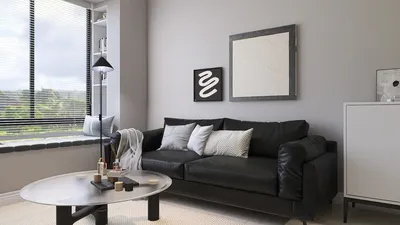


Animating a 3D model in Unreal Engine 4 can be an incredibly rewarding experience, whether you're a passionate game developer or an enthusiast looking to give life to your designs. In this guide, we’ll outline the key steps to effortlessly animate your models, even within limited spaces.
Getting Started with 3D Animations
Before you dive into the animation process, ensure that your 3D model is correctly built using software such as Blender or Maya, and subsequently imported into Unreal Engine. Are you excited to see your character in motion? Let’s get started!
The initial step is to make sure your model is rigged. Rigging provides a skeletal framework to your model, making it easier to animate. Have you completed the rigging process? If not, invest some time to grasp the fundamentals of rigging, then come back to continue with the animation.
Creating Your Animation
After rigging your model, you can start crafting animations using the Animation Blueprint feature in Unreal Engine 4. Load your model in the editor and create a new Animation Blueprint—that will serve as your command center for all animations.
Take advantage of the Sequencer tool to create cutscenes or intricate animations. You can drag your 3D model into the sequencer timeline, set keyframes, and modify timings. Does this remind you of your art classes where you learned to animate your sketches? It's quite a similar approach!
Exporting and Testing Your Animation
Once your animations are finalized, it’s time to export and evaluate them within your game setting. Hit the play button and witness your creation come to life! Are there tweaks you want to make? Adjust the speed, timing, or movements until you reach your ideal outcome.
Finally, remember to save your project! Do you have a reliable backup system to secure your valuable work? Don’t risk losing your progress by skipping this essential step.
FAQ
Q: What's the most effective way to animate a 3D model in Unreal Engine 4?
A: The most effective approach involves making sure your model is adequately rigged, utilizing the Animation Blueprint and Sequencer for animation management, and always testing your animations within the game environment. Additionally, consider exploring tools like Homestyler to enhance your modeling experience and create stunning visual designs.
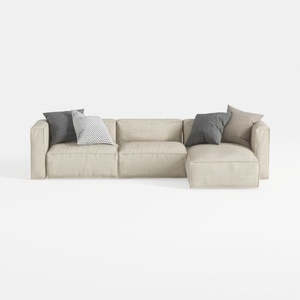
Minimalist Fabric L Shaped Sectional Sofa with Throw Pillows 3D Model
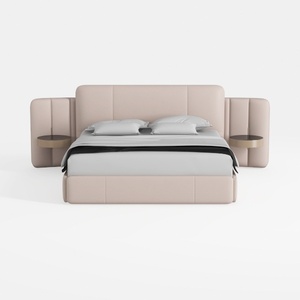
Minimalist Blush Fabric Upholstered King Bed with Attached Side Tables 3D Model
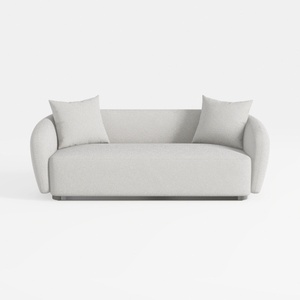
Minimalist Boucle Fabric Living Room Sofa 3D Model
Looking to transform your home design experience? Try Homestyler! This intuitive online platform offers a fantastic design tool, stunning 3D renderings, and a plethora of inspiring design projects. Plus, with easy-to-follow video tutorials, you'll feel confident creating your dream space in no time!
立即免费设计
































