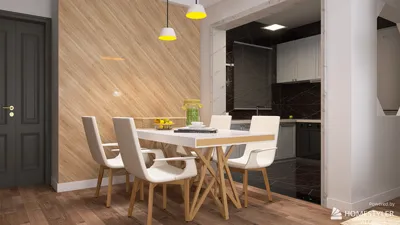


If you're a designer looking to breathe life into a 3D model, you’ve come to the right destination! Incorporating animations into your designs can significantly enhance your presentations, especially in compact areas where every detail matters.
A Guide to Understanding 3D Animation Fundamentals:
To animate a 3D model effectively, begin by exploring the animation tools provided in your design software. Many platforms, such as Blender or Maya, offer keyframe animation, allowing you to designate specific positions for your objects at different time frames.
While creating animations, consider how you want your audience to interact with the space. Will they witness a transformation in a living room setup or perhaps the unfolding of a space-efficient kitchen? Strategically plan the animation sequence to emphasize features that embody your design vision.
Effective Animation Tips:
1. Maintain Simplicity: Highlight the key elements that add value to your design. Complex animations can lead to confusion rather than clarity.
2. Emulate Natural Motion: Strive for realistic movements in your animations—utilizing lifelike motion will aid viewers in grasping the functionality of the space.
3. Add Lighting Dynamics: Incorporating animated lighting transitions can significantly transform the ambiance of your space, drawing focus to specific design attributes.
Frequently Asked Questions
A: Top choices for animation software include Blender, Autodesk Maya, and Cinema 4D, each presenting distinct tools and capabilities.
A: Pay close attention to frame rates, ensure smooth transitions, and keep your animations succinct, highlighting the essential features of your design.
Additional Tips:
4. Incorporate Sound Effects: Adding subtle audio effects that match your animation can enrich the viewing experience for your audience.
5. Storyboarding: Before diving into animation, draft a storyboard to visualize each phase of the process and guarantee a coherent flow.
Common Questions
A: Ideally, keep your animations brief—between 30 seconds to 2 minutes—to sustain viewer interest while effectively communicating vital aspects of your design.
A: Absolutely! Animating furniture arrangements can demonstrate versatility and practicality, enhancing the appeal of your design to potential clients, especially when you utilize tools like Homestyler to help visualize these changes.

Minimalist Walnut Round Coffee Table 3D Model
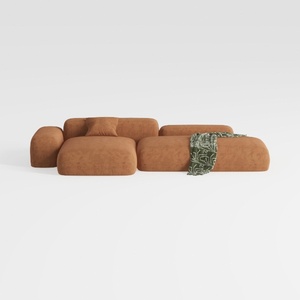
Minimalist Brown Fabric Modular Sectional Sofa 3D Model
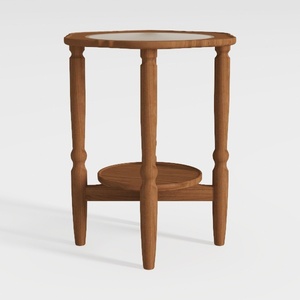

HOOBRO Small Round Side Table with Charging
Homestyler is an amazing online home design platform that makes decorating a breeze! With its user-friendly design tool, stunning 3D renderings, and a wealth of DIY video tutorials, you can effortlessly transform your space and explore endless design possibilities.
立即免费设计
































