

Mastering the art of 3D modeling a cube is an essential skill for any designer eager to elevate their craft. A cube not only exemplifies a simple geometric shape but also serves as a gateway to more intricate designs. Let’s explore the step-by-step guide to modeling a cube!
Fundamentals of Cube Modeling:
To start this journey, it’s crucial to understand that a cube is made up of six square faces, eight vertices, and twelve edges. Familiarizing yourself with each component within your favored 3D design software is key. Once you feel at ease, launch your software and find the tool for 3D shapes. Many applications provide straightforward options to generate a cube, typically located within the primitive shapes toolkit. Click on the cube icon, and just like that, you’ll have an untextured cube in your workspace!
Shaping Your Cube:
While a basic cube model is ready, let’s enhance its visual appeal. You can alter its dimensions by adjusting the vertices. Experiment with stretching it into a rectangular prism or scaling it down to create a smaller version. This stage invites you to unleash your creativity!
Next, think about adding texture and color to your cube. Dive into your software's materials library to discover textures that enhance the aesthetic quality of your model. Select a texture—or combine several—and apply them to your cube to add depth and interest, transforming your simple shape into a captivating object.
Elevating Your Design:
To push your cube modeling further, consider incorporating lighting effects and shadows. Quality lighting can greatly alter the perception of your cube within a scene. Experiment with various light sources from your software’s lighting menu, and observe how they cast shadows, emphasizing the contours of your cube.
Lastly, think about placing your cube within a broader setting. Whether it acts as a fundamental component of a larger structure or stands alone as a design feature, situating it contextually will highlight your modeling capabilities and creativity.
FAQs
Q: Which software is recommended for novice 3D modeling?
A: User-friendly applications like Blender, Tinkercad, or SketchUp are excellent choices for beginners! They provide intuitive interfaces ideal for newcomers to 3D modeling.
Q: How can I make my cube interactive?
A: To add interactivity, consider animating your cube or utilizing game engines such as Unity to bring it to life. Explore the possibilities!
Q: What steps do I take to export my model for 3D printing?
A: Most software features an export option that allows you to save your model in formats like STL or OBJ, which are widely used in 3D printing.
Q: Is it possible to animate my cube?
A: Absolutely! Once your cube is created, you can set keyframes in your software to animate its movements or alterations, enhancing your design with dynamic elements.
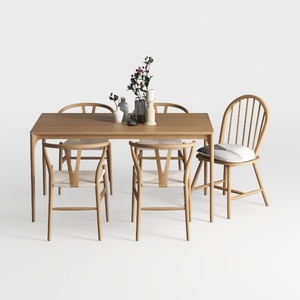

Minimalist Rattan Solid Wood Round Dining Table Set 3D Model


Minimalist Solid Wood Square Side Table 3D Model
Discover the ease of transforming your space with Homestyler! This user-friendly online design platform offers powerful 3D rendering, inspiring design projects, and helpful video tutorials, making it perfect for anyone looking to create their dream home effortlessly.
今すぐ无料でデザイン
































