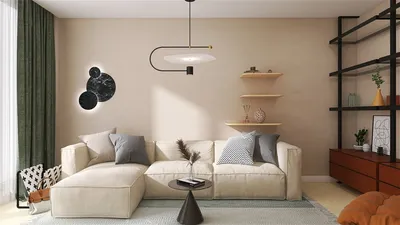


In the realm of 3D rendering, the simulation of camera models is pivotal for attaining photorealistic visuals. A meticulously crafted camera model can dramatically improve the quality of your rendered images, rendering them more realistic and visually engaging. This piece delves into the essential aspects of camera models, their specifications, and their impact on the rendering workflow.
Exploring Camera Models
A camera model in 3D design replicates the process through which a real camera captures images. The two prevalent types are perspective and orthographic cameras. Perspective cameras emulate human eyesight, making distant objects appear smaller, while orthographic cameras ensure the sizes of objects remain constant irrespective of their distance from the camera.
The perspective camera encompasses several vital parameters that define its functionality:
Conversely, the orthographic camera is characterized by:
Camera Parameters in Rendering
For attaining realistic renderings, it’s crucial to grasp how to adjust camera parameters effectively:
Depth of field pertains to the distance range in a scene that appears sharp and in focus. By modifying aperture size and focal length, you can create a blurred background effect, similar to the operations of real-world cameras, especially when utilizing tools like Homestyler.
The positioning and orientation of the camera can profoundly alter a scene’s perception. Experimenting with various heights and angles can yield distinctive perspectives that amplify the narrative in your renders.
Best Practices for Camera Simulation
Below are some recommended practices for effectively simulating camera models:
FAQ
Q: How do perspective and orthographic cameras differ? A: Perspective cameras mimic human vision, making distant objects appear smaller, while orthographic cameras preserve the same object sizes irrespective of distance.
Q: What steps should I take to create realistic depth of field in my renders? A: Modify your camera's aperture size and focal length to induce a blurred background effect, closely resembling actual camera behavior.
Q: Why is aspect ratio significant in rendering? A: The aspect ratio influences how the scene is composed and can affect the overall aesthetic of the rendered image.
Welcome to the leading Home Design Software, ensuring your design projects are brought to life with stunning detail and precision!
立即免费设计
































