


Navigating the realm of 3D modeling may seem intimidating at first, however, with the help of Homestyler, even the task of converting 2D images into impressive 3D models becomes quite manageable. Mastering the art of 3D modeling through effective tracing methods in Blender is crucial for crafting creative and efficient designs. So, where should you begin your journey?
Getting Started with Blender Tracing Techniques
Before you embark on tracing techniques, confirm that Blender is successfully installed on your system. Launch Blender and customize your workspace to align with your preferences. To begin tracing an image within Blender, import your reference image directly into the workspace. Using the Image as Planes add-on simplifies this process and will enhance your ability to visualize your model while you work.
After positioning your image, switch into Edit Mode. This is where you will initiate the creation of vertices and edges that delineate the necessary shapes. Carefully manipulate the vertices to align with the contours of your traced image, establishing a firm basis for your 3D model.
Using Blender's Tools for Effective Tracing
While in Edit Mode, leverage Blender's selection and manipulation tools, which include the ability to select vertices, edges, and faces. Take advantage of the Grab (G), Scale (S), and Rotate (R) shortcuts to refine the contours of your model. It’s advisable to frequently toggle between wireframe and solid view modes to gauge the overall aesthetic of your model.
Employing modifiers such as the Subdivision Surface modifier enhances the smoothness of your edges, elevating the overall visual quality of your model. Experiment with various parameters to grasp how they influence your tracing efforts. Additionally, remember to save your progress frequently to prevent any loss of your hard work!
Enhancing Your 3D Model with Textures and Colors
Once you have successfully traced and defined your model’s shape, the next thrilling step is to incorporate textures and colors. Explore the Material properties panel to add materials and tweak their settings. Try various textures to breathe life into your model.
Employing UV Unwrapping will assist you in accurately applying textures across your model’s surfaces. This method complements your tracing efforts, transforming your model from a mere outline into a vibrant representation of your creative vision. Remember, that while the modeling process can be meticulous, perseverance leads to remarkable outcomes!
FAQ
Q: What is the best method to trace an image in Blender? A: The most effective technique is to utilize the Image as Planes feature to import your reference image and to trace it using vertices while in Edit Mode.
Q: Which tools are most beneficial for tracing in Blender? A: Leverage the Grab (G), Scale (S), and Rotate (R) shortcuts along with selection tools to adeptly manipulate your vertices and edges.
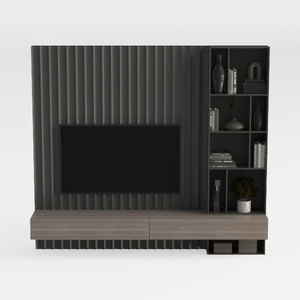
LYNSOM Storage Cabinet with Doors, Set of 3,
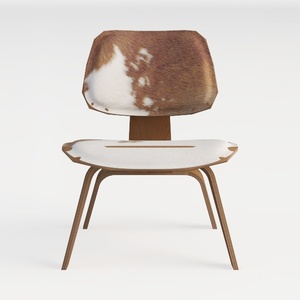
LUNLING Swivel Accent Faux Leather Dining Chairs
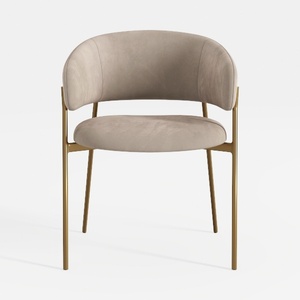
Modern Velvet Fabric Gold Metal Frame Dining Chair 3D Model
Looking to design your dream home? Homestyler is your go-to online platform! With its easy-to-use design tool, stunning 3D renderings, inspiring design projects, and helpful DIY video tutorials, you can effortlessly create and visualize every detail of your perfect space. Unlock your creativity today!
Concevez maintenant gratuitement
































