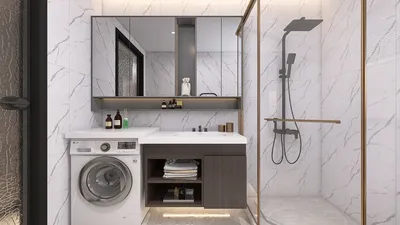


Crafting an axonometric render of an apartment can be an exhilarating method to visualize space, particularly when dealing with compact and complex designs. This approach enables designers to represent the arrangement and interaction between various areas without the distortion typically found in perspective drawings. In this article, we will explore the vital steps to produce a polished axonometric render with the help of tools like Homestyler.
Comprehending Axonometric Projection
Before embarking on the rendering journey, it's important to grasp what axonometric projection means. Unlike traditional perspective drawings where lines converge, axonometric projections preserve parallel lines, ensuring dimensions remain true to scale. This rendering technique allows viewers to observe several sides of an object at once, making it particularly beneficial for interior designs.
Step 1: Assemble Your Tools
To create an axonometric render, you will need the following tools:
Step 2: Construct the 3D Model
Begin by developing the 3D model of your apartment. Focus on accurately depicting the dimensions and layout:
Step 3: Establish the Axonometric View
After completing the model, configure the axonometric perspective:
Step 4: Add Materials and Textures
Incorporate realistic materials and textures into your design:
Step 5: Configure the Lighting
Appropriate lighting is crucial for achieving a successful render:
Step 6: Render the Axonometric View
Once all elements are prepared, proceed to render your design:
Step 7: Enhance Through Post-Processing
After rendering, consider further enhancing your image for added appeal:
Conclusion
Developing an interior axonometric render for an apartment involves a meticulous process that, when executed properly, can effectively highlight your design. By understanding the concept of axonometric projection, utilizing the appropriate tools, and paying attention to detail, you can produce captivating visuals that not only inform but also enthrall viewers. To streamline this process, consider utilizing Homestyler, a leading tool in home design software.
FAQ
Q: What software is ideal for creating axonometric renders? A: Commonly used software includes SketchUp, AutoCAD, and Revit for modeling, alongside V-Ray or Enscape for rendering.
Q: Is it possible to produce axonometric renders without 3D software? A: While basic axonometric drawings can be done manually, employing 3D software significantly improves accuracy and detail.
Q: Where can I acquire more knowledge about rendering techniques? A: Online tutorials, courses, and forums are excellent resources for enhancing your rendering expertise.
Discover the ultimate home design solutions with top-rated software options.
Design jetzt kostenlos
































