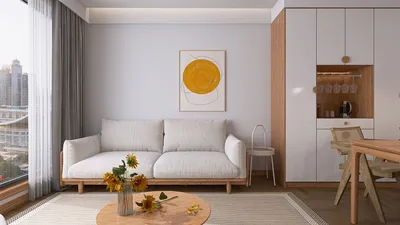


Are you eager to design an impressive auto 3D floor plan for your upcoming project? Whether you are an interior designer, a homeowner, or just someone passionate about spatial design, mastering the tools and techniques to craft a 3D floor plan can significantly enhance your creativity. By utilizing appropriate software options, you can visualize your concepts instantly, paving the way for optimal planning. Let's explore some essential tips and tools that can aid you in generating your auto 3D floor plan effortlessly.
Selecting Ideal Tools for Crafting Auto 3D Floor Plans
When it comes to developing an auto 3D floor plan, selecting the appropriate software is essential. Solutions like Homestyler provide intuitive interfaces that empower you to create intricate floor plans with minimal effort. Thanks to features such as drag-and-drop functionality, arranging furniture, walls, and doors becomes a breeze, making the creation process seamless. Moreover, visualizing your design in 3D can help you identify potential challenges early on, ensuring a smoother design experience.
Seeing Your Space in 3D
Visualization plays a crucial role in space design. An auto 3D floor plan enables you to explore various dimensions of your design. Picture converting a small, tight area into a spacious retreat. You can test out multiple layouts, color schemes, and textures. A light, neutral color palette with touches of blue can create an open and tranquil atmosphere, whereas vibrant hues can invigorate your environment. Feel free to experiment with diverse styles to discover what resonates with your vision.
Advice for Crafting a Successful Auto 3D Floor Plan
1. Begin with a clear vision: Determine the ambiance you want to create. Is your goal to make the space warm and welcoming or chic and contemporary? 2. Leverage precise measurements: Obtaining accurate dimensions of your rooms will greatly influence your 3D rendering. 3. Experiment with layouts: Avoid locking into the first design you produce. Test out various configurations of furniture and decor to find the best arrangement. 4. Seek opinions: Share your designs with peers for constructive feedback. 5. Consider lighting: Don't forget to account for both natural and artificial lighting, as it can dramatically impact a room's atmosphere.
Frequently Asked Questions
What exactly is an auto 3D floor plan? An auto 3D floor plan is a digital depiction of a space that allows users to visualize the layout in three dimensions, simplifying the interior design process. Which tools should I consider for creating 3D floor plans? There are numerous tools available, including Homestyler's features designed for 3D visualization, alongside various online planning software. How can I elevate my design skills? Regular practice, seeking inspiration from design communities, and utilizing tutorials can all enhance your skill set.
Welcome to Using the Free 3D Floor Planner


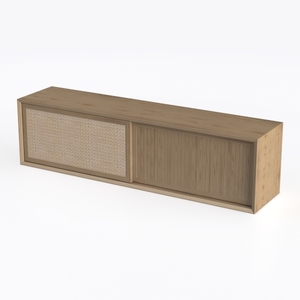
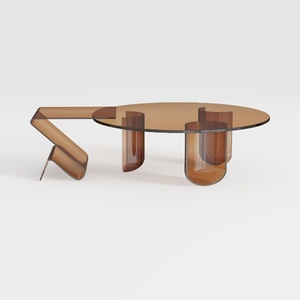
Homestyler is your go-to online platform for home design! With its user-friendly design tool, stunning 3D renderings, and an array of DIY video tutorials, you can easily transform your ideas into reality. Explore countless design projects and unleash your creativity today!
Desain sekarang Gratis
































