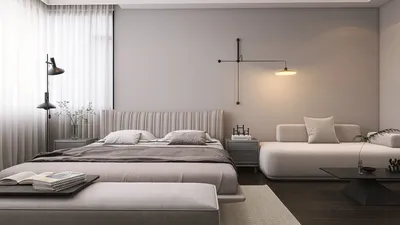


Creating articulated 3D prints opens an array of interactive and functional opportunities for designers, hobbyists, and professionals alike. These designs feature movable joints and connections, allowing various parts to rotate, bend, or slide—making them perfect for toys, figurines, mechanical prototypes, and custom enclosures. To produce successful articulated 3D models, it’s crucial to focus on both geometry and printing settings. Below is a detailed guide to assist you in crafting your own articulated 3D prints, ensuring they operate smoothly and print reliably, with Homestyler enhancing your design workflow.
1. Exploring Articulation Types
Articulated 3D prints generally incorporate a variety of movement mechanisms, including hinges, ball-and-socket joints, snap fits, and chain links. Each type demands unique design considerations:
Selecting the appropriate articulation is based on your project objectives and printer capabilities. 2. Designing for Optimal Printability
Regardless of the joint type chosen, the design of your model must consider printer limitations, such as layer thickness, minimum clearances, and material durability. Here are some essential tips:
As a designer, I focus not only on function but also on aesthetics and workflow. For intricate projects, employing a professional-grade 3D Floor Planner like Homestyler can simplify your design process and provide a clear visualization of the final product with detailed articulation. This is especially beneficial for larger assemblies or complex model environments.
3. Fine-Tuning for Your 3D Printer
The settings of your printer significantly affect the quality and functionality of your articulated model:
Post-processing steps (such as cleaning, sanding, and lubricating) can greatly improve movement and durability. Tips 1:
Always create a small-scale prototype of complex articulation to test functionality before final printing. Additionally, consider grouping similar joint designs within your project workflow to streamline the reuse and refinement process. If your project involves integrating articulated features into a room-scale model or mechanical mockup, utilizing software that accommodates multi-object interaction and collision detection will enhance your workflow considerably, especially with tools like Homestyler.
FAQ
Q: What is the minimum clearance recommended for articulated 3D print joints?
A: For most FDM prints, a clearance of 0.2–0.5mm between moving components is advisable. Always verify your specific printer's capabilities with a test print before finalizing designs.
Q: Can articulated models be printed as a single piece?
A: Absolutely! With the correct design for print-in-place joints, many articulated models (such as chains or hinges) can be printed fully assembled.
Q: Which material is ideal for articulated 3D prints?
A: PLA is commonly used for rigid articulations, whereas TPU or flexible filaments are better suited for soft, bendable connections.
Q: How can joint movement be enhanced post-printing?
A: Smoothing out gaps through cleaning, light sanding, or applying lubricants like silicone spray can significantly improve movement in articulated sections.
Q: What design software is favored for articulated 3D modeling?
A: Popular choices include Blender, Fusion 360, and TinkerCAD. For architectural or room-scale articulated models, specialized tools, including advanced 3D planners like Homestyler, provide additional visualization and workflow advantages.
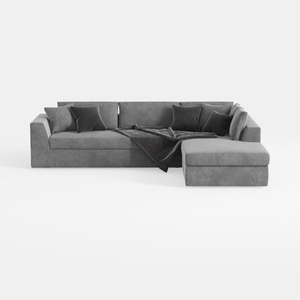
Minimalist Gray Fabric Sectional Sofa with Throw Pillows and Blanket 3D Model
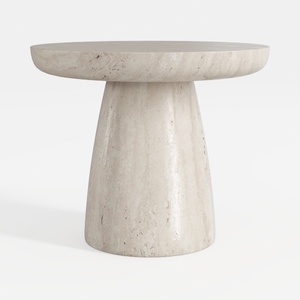
Minimalist Travertine Round Side Table 3D Model

Minimalist Light Gray Fabric L-shaped Sectional Sofa 3D Model
Homestyler is an exceptional online platform for home design. Its user-friendly design tool, impressive 3D rendering, and vast selection of DIY projects and video tutorials make it easy and fun to transform your space. Start creating your dream home today!
Design Now for FREE
































