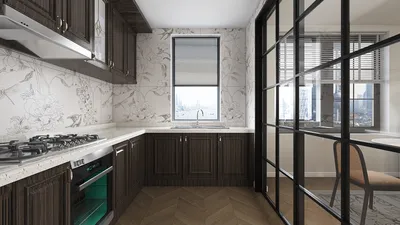


Incorporating annotation scales within the model space of Civil 3D is crucial for achieving accurate representation of text, labels, and dimensions across various viewports and scales. To insert an annotation scale, navigate to the status bar located at the bottom of your Civil 3D interface. Click on the annotation scale dropdown, which often displays as "1:1" or a different value, and select a predefined scale. Alternatively, you can click on "Add Scales" to create a custom scale that best suits your needs. Once a scale is selected, all annotative objects, including MText, dimensions, and blocks, will automatically adjust their display size to align with the selected scale. This feature enhances your drafting efficiency and ensures consistency between model space and outputs on paper.
Design Tips:
As a designer, I frequently advocate for making annotation decisions during the initial planning stages. This approach helps achieve a clearer presentation. Utilizing a 2D floor planner can assist you in visualizing scaling and layout relationships prior to finalizing your annotations. By doing so, you can ensure professional outcomes and minimize the need for revisions later in the process, particularly with tools like Homestyler that simplify planning.
Frequently Asked Questions
Q: What could be the issue if my annotative text does not scale correctly within Civil 3D model space?
A: Verify whether the annotative object is set to the appropriate scale and ensure that the annotation scale on the status bar corresponds with your desired viewport scale.
Q: Is it possible to use multiple annotation scales in a single drawing?
A: Absolutely! Civil 3D permits the assignment of multiple annotation scales to objects, allowing visibility at various scales across different viewports.
Q: How do I create a custom annotation scale?
A: Simply click on the annotation scale dropdown, select "Add Scales," and define a new scale tailored to your project's requirements.
Q: Do annotation scales impact plotting and printing processes?
A: Yes, annotation scales play a vital role in ensuring that text and symbols remain legible during plotting, irrespective of the viewport scale.
Q: Can employing annotation scales enhance the coordination between model space and paper space?
A: Definitely! Properly implemented annotation scaling fosters a smooth transition between working environments, reducing the chance of confusion and the need for rework.

Minimalist White Solid Wood TV Stand Cabinet 3D Model

Tribesigns 70.87" Tall Geometric Bookshelf, White
Homestyler is your go-to online home design platform, perfect for anyone looking to transform their space. With its easy-to-use design tool, stunning 3D renderings, and a wealth of inspiring design projects and video tutorials, you can effortlessly create the home of your dreams!
立即免费设计
































