


Direct Answer
Homestyler is an excellent interior design software for those seeking quick 3D visualization, easy layout creation, and photorealistic rendering without the hassle of mastering complex professional programs. It is particularly beneficial for homeowners, real estate professionals, and designers who prioritize speed and clear visual outcomes over intricate CAD-level details.
Quick Takeaways
Introduction
A frequent question from homeowners and novice designers is whether Homestyler is suitable for their interior design projects or if they should invest time in learning more advanced software.
With over a decade of experience in residential design and aiding teams in adopting visualization platforms, I've realized that the "best" design software depends more on workflow compatibility than sheer features. Many users either struggle with software that is too complicated or find their tools too restrictive for their actual needs.
Homestyler occupies a unique space, offering rapid layout generation, an extensive furniture catalog, and incredibly fast rendering capabilities. This combination can save several hours of modeling on numerous projects. A walkthrough demonstrating how designers swiftly convert room concepts into photorealistic interiors effectively showcases this efficiency.
However, like any design tool, Homestyler isn't flawless for all purposes. Some users demand highly precise architectural details, whereas others need only quick mood boards. Knowing where this platform excels—and where it falls short—is essential for making an informed choice.
Let's analyze the scenarios where Homestyler is most effective, identify its limitations, and guide you on determining if it suits your projects.
save pin
Who Benefits Most from Homestyler
Key Insight: Homestyler provides the greatest advantages to users focusing on speed, visual representation, and straightforward space planning rather than technical architectural modeling.
In practice, three categories of users find the most value in this platform.
1. Homeowners undertaking renovations
Individuals redesigning kitchens, living areas, or apartments need quick visual feedback. Instead of manually sketching layouts or guessing furniture arrangements, they can construct a room model and experiment with designs in minutes.
2. Interior designers sharing concepts
Many freelance interior designers rely on rapid visualization applications to showcase initial ideas before moving on to comprehensive CAD documentation.
3. Real estate agents and staging teams
Agents often require visual staging for listings or marketing content.
According to the National Association of Realtors, staged properties tend to sell faster and command higher prices. Fast 3D visualization platforms like Homestyler empower agencies to create appealing visuals without outsourcing to costly rendering studios.
The common theme among these users is a focus on impactful visual communication rather than detailed technical drawings.
Project Types That Suit Homestyler Best
Key Insight: Homestyler excels at residential floor plans and single-room redesign projects.
After testing many tools over the years for residential design, projects aligned with Homestyler typically share traits like minimal structural alterations, focus on furniture placement, and the need for realistic renderings.
Examples include:
Many designers also utilize basic layout tools during early concept phases. If you're evaluating spatial arrangements prior to detailed design, this example of furniture placement planning and room flow illustrates how fast a functional room layout can be produced.
Nonetheless, major commercial projects, substantial structural renovations, or code-compliant architectural work generally require more advanced technical modeling.
save pin
When More Robust Software Is Necessary
Key Insight: Projects demanding construction documents or intricate structural modeling will likely need specialized CAD or BIM applications.
This is a common source of confusion among beginners about visualization tools. Rendering programs do not always replace dedicated design documentation software.
You might require advanced platforms if your project includes:
In my practice, we often blend tools—using rapid visualization for initial concepts and directing detailed construction documentation towards CAD software later.
Such hybrid workflows are increasingly commonplace in the design industry.
Evaluating Features Important for Your Workflow
Key Insight: The ideal design software hinges less on the number of features and more on how swiftly those features aid your design decisions.
When choosing design solutions, I suggest focusing on five key practical aspects.
Homestyler stands out with its fast rendering and comprehensive asset libraries. Many users can generate near-photorealistic visuals within minutes. For those prioritizing presentation or marketing quality, this workflow illustrating high-quality 3D home renderings highlights one of Homestyler's strongest selling points.
An often underestimated factor is the learning curve. Tools such as SketchUp or Revit might take weeks to master, whereas visual planners like Homestyler are often learnable in just a few hours.
save pin
Summary Box
Homestyler is ideal for swift interior layout drafting and quality visual renderings. It suits homeowners, interior designers proposing early concepts, and real estate staging workflows more than full architectural documentation.
Budget and Free Version Considerations
Key Insight: While the free edition provides solid experimentation grounds, dedicated design professionals may eventually need premium features.
Cost often determines beginners’ choice of interior design software.
Free versions generally offer:
However, high-resolution renderings, larger asset selections, or commercial usage may require upgrading to paid plans.
One overlooked cost is time. If a platform saves hours of model building or rendering, the subscription often pays off rapidly.
save pin
Checklist for Choosing Your Interior Design Tool
Key Insight: The right tool should align with your project complexity, deadlines, and visualization needs.
Before adopting a platform, consider these key questions.
If your responses emphasize fast visuals, straightforward layouts, and residential projects, Homestyler is often an excellent choice.
Final Summary
FAQ
Is Homestyler beginner-friendly for interior design?
Absolutely. Its user interface is approachable, enabling users to craft layouts and realistic renders without mastering complicated modeling software.
Who should use Homestyler?
Homeowners, interior designers, furniture sellers, and real estate agents benefit greatly from Homestyler's visualization capabilities.
Is Homestyler suitable for professional interior designers?
Yes, especially for initial presentations and client visuals. Many professionals pair it with CAD tools for detailed technical documentation.
Can Homestyler create realistic interior renders?
Certainly. One of its core strengths is producing photorealistic interior images quickly.
Is Homestyler worthwhile for home design projects?
For residential design and visualization, many users find Homestyler highly valuable due to its efficiency and ease of use.
Can Homestyler design complete houses?
It can, but it's predominantly used for layout planning and visualization rather than full architectural drawings.
How long does it take to become proficient with Homestyler?
Most beginners grasp the basics within hours and can produce their first rendered room within a day.
How to select the right interior design software?
Assess your project scope, need for technical drawings, rendering quality, learning curve, and collaboration features.
References
National Association of Realtors. 2023 Profile of Home Staging.
Meta TDK
Meta Title: Is Homestyler the Ideal Interior Design Software for Your Next Project?
Meta Description: Explore whether Homestyler fits your workflow, project demands, and visualization goals with this comprehensive decision-making guide.
Meta Keywords: is Homestyler good for interior design, who should use Homestyler design software, how to pick interior design software, when to choose Homestyler for home projects


Modern Marble Gold Trim Round Coffee Table 3D Model
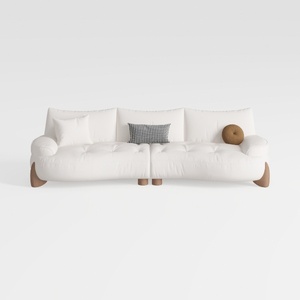
Minimalist White Fabric Curved Sofa With Decorative Throw Pillows 3D Model
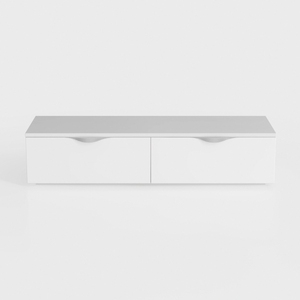
GarveeHome 6 Drawer Dresser for Bedroom, Antique
Homestyler is an easy-to-use online platform that lets you create stunning home designs with powerful 3D rendering. Explore countless interior projects and learn with helpful DIY video tutorials to bring your dream space to life effortlessly.
Design Now for FREE
































