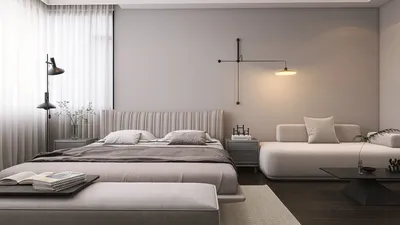


I create living environments that respond intuitively—lighting that adapts to routines, dimming at night and brightening when focused tasks are needed. Achieving this through automatic room light controllers is feasible when they align with human patterns rather than purely relying on motion detection. When implemented effectively, such systems enhance comfort and decrease energy wastage without making your home feel overly mechanized. This is where tools like Homestyler come into play, offering design insights to optimize lighting.
Evidence from real-world studies supports the positive effects of such designs. The WELL Building Standard (WELL v2) states that having adjustable lighting that complements circadian health can boost alertness and improve sleep quality through proper timing and illuminance levels. The Illuminating Engineering Society (IES) suggests target luminescence for general tasks to be between 300 and 500 lux, with specific tasks calling for as much as 1,000 lux, and ambient settings often around 100–300 lux based on the desired use. These guidelines assist in calibrating sensors and lighting scenes to create an automation experience that feels seamless rather than disruptive. In home offices and living areas, following these standards prevents excessive lighting that wastes energy and insufficient lighting that can lead to eye strain.
User behavior plays a critical role in the success of lighting systems as much as the technology itself. Research by Steelcase indicates that environmental controls, including lighting, are linked to perceived productivity and satisfaction. At home, empowering residents with the option to adjust or customize automated lighting scenes helps maintain trust in the technology. By enabling manual control, automation evolves from being a mere novelty to a reliable aspect of your comfort.
Understanding the Role of an Automatic Room Light Controller
An automatic light controller merges various technologies including motion detection, ambient light sensing, time-based logic, and scene management. The optimal configuration learns user behaviors and transitions smoothly: providing bright, cooler light during the day for better focus; softer, warmer light in the evening; and minimal path lighting after hours. It sidesteps the annoying 'on-off' cycling typical of basic motion sensors through the implementation of hold times, sensitivity zones, and light-level adjustments (daylight harvesting).
Design Priorities: Comfort, Clarity, Efficiency
In every lighting automation project, I prioritize three key goals: visual comfort, task clarity, and energy efficiency. Comfort entails reducing glare through shields, diffusers, and indirect lighting methods, while ensuring the correlated color temperature (CCT) aligns with human activity—typically around 2700–3000K post-sunset and 3500–5000K for daytime tasks, adjusted according to natural light conditions. Clarity refers to specific task lighting (such as kitchen counters illuminated at 500–750 lux) paired with ambient layers to minimize contrast ratios. Efficiency means integrating sensors and leveraging natural light to prevent the system from counteracting sunlight, while programming schedules helps eliminate waste in unoccupied spaces.
Essential Components and Their Specifications
- Presence sensors: Utilize passive infrared technology combined with mmWave for detecting minute movements, particularly in bedrooms and home offices where individuals remain still. Set appropriate timeouts (10–20 minutes for living areas; shorter for pathways).
- Light sensors: Install them away from direct light sources and windows to avoid inaccurate readings. Set a target ambient light range (for instance, 150–250 lux in a relaxed living room) and allow the controller to adjust brightness accordingly.
- Dimming protocols: Opt for systems that allow smooth dimming down to 1% for evening settings. Pay attention to flicker rates—look for drivers with minimal flicker across dimming ranges.
- Color tuning: For tunable-white fixtures, assign scenes to specific time blocks—"Morning Focus" (4000–5000K), "Afternoon Balance" (3500–4000K), "Evening Wind-down" (2700–3000K).
- User interfaces: Layer the automation with simple manual overrides—through wall-mounted keypads, voice activation, or app-based scenes. Manual adjustments should always be easily accessible.
Ergonomics and Human-Centric Design
The objective of automation is to ease cognitive load rather than complicate it. Controls should be consistently placed at entry points and main activity areas. Labels should convey clear intent (such as "Cook," "Read," "Relax") instead of technical jargon. Transitions between scenes ought to occur gradually (1–3 seconds) to prevent visual discomfort. For nighttime safety, utilize low-level pathway lighting (1–5 lux at floor level) to minimize disruption of melatonin production.
Lighting Quality: Glare, Color, and Consistency
Select fixtures with effective shielding and suitable beam spreads. Maintain a low unified glare rating (UGR) in work areas by using indirect or diffused lighting. Choose luminaires with a color rendering index of 90+ for kitchens and bathrooms to maintain material authenticity and skin tone accuracy. Properly balance wall, ceiling, and task lighting to ensure comfortable contrast ratios—softer vertical illumination minimizes eye strain and creates a spacious, calm atmosphere.
Synergy of Acoustics and Materials
Lighting interacts with its environment. Matte surfaces reduce glare, textured materials absorb stray reflections, and acoustic panels help mitigate echoes that could make bright spaces feel harsh. Warmer woods and textiles complement evening lighting schemes (2700K) to foster a soothing atmosphere, while satin finishes help control daylight’s reflection.
Strategizing Layout and Sensor Placement
Begin with a well-defined floor plan and pathways. In open-concept living-dining-kitchen areas, organize zones logically: place task lights directly over counters, ambient fixtures over dining spaces, and use recessed or linear washes for living areas. For extensive hallways, stagger sensors to ensure smooth detection. If you need to explore various configurations, utilizing a layout simulation tool can assist in visualizing sensor coverage and fixture positioning prior to purchase: room layout tool.
Incorporating Daylight and Supporting Circadian Rhythms
Let natural light be your primary illumination source. Situate work surfaces near windows, utilize sheer window treatments to manage glare, and enable the controller to dim electric lighting when outdoor brightness surpasses your target lux levels. Schedule cooler CCTs for midday activities, gradually transitioning to warmer light two hours before sleep to coincide with circadian signals. Keep in mind: brighter isn’t always better— rather, consistent, adequate lighting is the ultimate goal.
Safety, Regulations, and Practical Aspects
Consider egress paths including stairs, hallways, and bathrooms—where instant illumination and night settings are crucial. Ensure compatibility between drivers and fixtures (dimming curves and load minimums) to prevent flicker or outages. For bathrooms, be mindful of proper ratings for damp/wet environments. In cases of retrofitting, wireless sensors can reduce wiring complications, but be sure to check battery life and signal reliability.
Lighting Scenes in Real-Life Applications
- Welcome: Entry and living room ambient set to 40–50%, warm-neutral (3000–3500K).
- Cooking: Countertops at 700 lux, with high CRI and focused tasks; ambient light reduced to lessen glare.
- Reading & Focusing: Seating area illuminated at 400–500 lux, using 3500–4000K, glare-controlled levels.
- Movie Time: 5–10% backlighting, warm 2700K, with low vertical contrast.
- Night Path: 1–3 lux floor illumination, featuring an amber tone, activated by motion after 11 pm.
- Sleep Preparation: Gradual whole-home dimming to warm 2700K, reducing light intensity to 20% over 10 minutes.
Energy Efficiency and Longevity
Utilizing LED efficiency coupled with smart control can significantly lower energy consumption. Occupancy-driven systems with daylight harvesting practices frequently reduce lighting energy usage by substantial margins in multifunctional spaces. It is essential to choose quality drivers and maintain effective thermal management to ensure your LEDs sustain their output and color consistency over time; inferior products tend to struggle with dimming quality and reliability.
Commissioning: The Overlooked Step
A significant number of lighting failures stem from inadequate commissioning. It’s crucial to calibrate sensor sensitivity, timeout durations, and lux thresholds based on real-world conditions—both day and night. Walk through typical paths to verify there are no dead spots. Evaluate every scene with real tasks in mind, from cooking to reading to unwinding. Gather feedback from all residents and document settings for future adjustments.
Future-Proofing and System Integration
Choose ecosystems that prioritize open standards and local control for enhanced reliability. Ensure essential scenes remain functional even if the network is down. Design for scalability—considering a child's room today can evolve into a home office tomorrow—without the need for significant alterations to foundational systems. Voice and presence AI can offer conveniences but should never compromise manual safety and comfort controls.
Frequently Asked Questions
Q1: What lux levels should I aim for different activities at home?
A1: As a general guideline per IES standards, target approximately 300–500 lux for general tasks, 500–750 lux for detailed kitchen activities, and maintain 100–300 lux ambient lighting for relaxation. Utilize task lights to selectively elevate local illumination without flooding the entire area.
Q2: How does color temperature impact comfort at home?
A2: Cooler lighting (3500–5000K) facilitates alertness and clarity for daytime operations, while warmer lighting (2700–3000K) encourages relaxation in the evening. Sync lighting scenes with the progression of the day to enhance circadian comfort, as advised by WELL v2 standards on light and health.
Q3: My motion sensors keep turning lights off while I'm still. How can I resolve that?
A3: Opt for sensors that merge PIR and mmWave technologies, or incorporate seat-occupied detection. Extend hold times (e.g., 15–20 minutes for living spaces) and strategically position sensors to ensure they can detect minor movements without obstructions.
Q4: Is it necessary to have tunable-white fixtures?
A4: Not always. If budget constraints exist, stick with fixed 3000K for shared environments and complement with brighter task lighting for work areas. If your focus is on supporting circadian-friendly habits, tunable-white systems provide the flexibility to enhance morning concentration and evening relaxation.
Q5: How can I mitigate glare in an automated lighting setup?
A5: Select diffused or indirect light sources, steer clear of exposed point sources within sightlines, reduce ambient brightness when task lighting is in use, and incorporate matte finishes on nearby surfaces to soften reflections.
Q6: What’s the best strategy for integrating daylight into my lighting plan?
A6: Position a light sensor that accurately reads real ambient light levels, establish a target lux level, and allow the system to automatically dim electric lighting when natural light adequacy is reached. Incorporate shades to mitigate glare, ensuring the control system doesn’t work against daylight.
Q7: Will automation still permit manual control of the lighting?
A7: Absolutely. The most effective systems ensure manual overrides are situation-appropriate and just a tap away—through wall-mounted panels, app design, or voice commands—affording you the ability to make adjustments seamlessly without challenging the automated settings.
Q8: What’s the best approach to plan sensor and fixture placement in an open-floor home?
A8: Segment areas by their purpose (cooking, dining, relaxing) and adjust sensors to accommodate each zones’ behaviors. If you wish to sample coverage and fixture placement prior to installation, consider utilizing an interior layout simulation tool to visualize various alternatives: room layout tool.
Q9: What about flickering issues or eye strain during dimming?
A9: Specify drivers designed for low flicker performance across dimming ranges and conduct tests at the lowest levels. Seek out smooth transitions in dimming and consistent color output at 1–5% brightness for evening atmospheres.
Q10: How much energy saving can I realistically expect?
A10: Results vary depending on home specifics and personal habits, but integrating occupancy-based control along with daylight harvesting generally leads to significant reductions in lighting energy expenditure in residential settings. Savings further increase with expertly commissioned scenes, coupled with wise manual override practices.
Q11: Are there privacy concerns associated with presence sensors?
A11: PIR and mmWave sensors detect movement patterns rather than individual identities. Install these devices away from sensitive areas and opt for systems that allow local processing of presence data when feasible.
Q12: How frequently should I review and adjust my lighting settings?
A12: Aim to recommission settings seasonally or after significant lifestyle changes. With evolving daylight patterns, growing children, and shifting work schedules—your lighting configurations should also adapt accordingly.
Looking to transform your space? Homestyler is your go-to online home design platform. With its user-friendly design tool, stunning 3D renderings, a plethora of design projects, and helpful DIY video tutorials, you can effortlessly create your dream home without any prior experience!
Progetta ora GRATIS
































