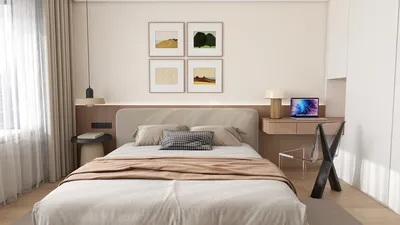


Incorporating 3D models into your 2D projects can significantly enhance their aesthetic appeal, adding layers of depth and creativity. Whether you’re designing marketing graphics or working on a personal artistic venture, this approach provides a distinctive visual charm. This guide will delve into methods of seamlessly merging 3D models with 2D designs, ensuring your creations stand out in today's competitive market.
Grasping the Fundamentals of 3D and 2D Design:
Before embarking on the integration journey, it's vital to comprehend the fundamental differences between 3D and 2D graphics. While 2D designs are characterized by their flat nature, 3D models are defined by their depth and volume, allowing for interaction with light and shadow. The fusion of these formats enriches visual narratives, producing captivating images that draw the viewers' attention.
To begin, make sure your 3D model is exported in a format that is compatible with your design software, such as OBJ or FBX. This step is crucial for facilitating the integration of your 3D model into graphic design applications, where you can effectively manipulate and position it among your 2D items, creating a striking visual impact.
Selecting the Appropriate Software:
Choosing the right software tailored to your needs is essential. Well-regarded options include Adobe Photoshop, Blender, and SketchUp. For those comfortable with Photoshop, it allows direct import of 3D models into your workspace, making integration simple. On the other hand, Blender offers advanced tools for intricate manipulations, perfect for freeform designs that bring your imaginative concepts to life.
Consider your skill level with these tools when selecting software. Don’t hesitate to kickstart your journey with basic tutorials—they can greatly enhance your understanding and accelerate the mastering of 3D integration techniques.
Integrating 3D Models into 2D Designs: Step-by-Step:
Follow these crucial steps to effectively combine 3D models with your 2D designs:
Import Your 3D Model: Launch your design application and import your 3D model, ensuring it’s properly scaled for your desired 2D canvas.
Position the Model: Drag and position the model on the canvas, making sure it interacts realistically with the 2D elements. Experiment with the scale, orientation, and angle to achieve a perspective that enhances the composition.
Lighting and Shadows: Modify the model's lighting to correspond with the light source in your 2D design. Using realistic shadows can anchor the 3D model into the scene, boosting depth and realism.
Blending Techniques: Employ blending modes and adjust opacity to ensure that the 3D model integrates seamlessly into the 2D composition, yielding a cohesive and polished appearance.
Final Touches: Apply any finishing effects, like color corrections or texture overlays, to unify the 3D model with the 2D background, culminating in a refined final product.
FAQs
Q: What software is best suited for beginners to merge 3D models with 2D designs? A: Adobe Photoshop and Blender are both great options for novices, offering a wealth of tutorials to help you get started effectively.
Q: Can any 3D model be used in my 2D project? A: As long as the 3D model is updated to a compatible format and optimized, you can integrate it into your 2D projects, adding a fresh dimension to your creative endeavors with tools like Homestyler.
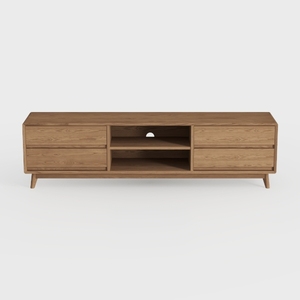
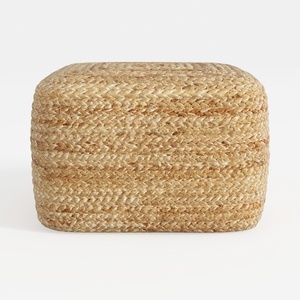


Discover your inner designer with Homestyler! This user-friendly platform offers an intuitive online design tool, stunning 3D renderings, and a wealth of design projects and DIY video tutorials. Transform your home effortlessly and bring your creative vision to life—it's perfect for both beginners and experienced decorators!
Concevez maintenant gratuitement
































