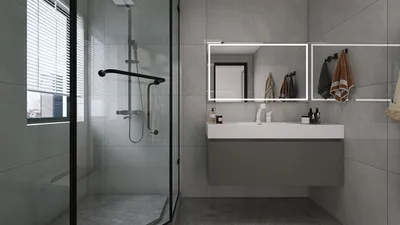


Are you eager to embark on designing your ideal space using Homestyler but feel a bit lost on how to import your floor plan? You’re not alone! Many newcomers find this initial process challenging, but don’t worry—we’re here to guide you through each step. Importing a floor plan is a fundamental first move in crafting a remarkable 3D interior design project. This tutorial will assist you in navigating through the process smoothly. First, ensure your floor plan is prepared. Whether it’s a hand-drawn sketch or a digital version, it should be clear and easily readable. If you opt for a digital plan, save it in a widely accepted format such as JPG or PNG. After your floor plan is ready, launch Homestyler on your device. The first screen you encounter will be the project dashboard. Locate the 'Import' function, typically found in the top menu bar. Click on it, and you will be prompted to upload your floor plan. Select your prepared file and upload it into the application. Homestyler will automatically recognize the dimensions of your floor plan. It’s critical to verify these dimensions to ensure they accurately represent your actual space. If adjustments are necessary, you can manually alter them using the scaling tools available. Following the upload and dimension adjustment, the next phase is tracing your floor plan. Use the drawing tools provided in Homestyler to outline walls, windows, and doors. Take your time for precision, as this will significantly impact your overall design. Once you have traced your floor plan, you can start incorporating furniture and decorations from the vast library offered by Homestyler. This is where the creativity shines! Experiment with various layouts, colors, and styles to find the best fit for your area. Remember to save your work regularly to prevent losing any effort you’ve put in. Homestyler also permits switching between 2D and 3D views, giving you the freedom to visualize your designs from different angles. Finally, when you're happy with your design, you can render a high-quality final output. This will provide a stunning visual representation of your space, ideal for sharing with friends or using as a source of inspiration for your home renovation. To conclude, importing a floor plan into Homestyler is a simple process that unlocks a plethora of creative and design options. So don’t hesitate—dive in and start designing your dream space today!
Tips 1:
Always make sure your floor plan is accurately scaled before you begin tracing. This will save you a great deal of time and frustration in the long run!
FAQ
Welcome to Homestyler
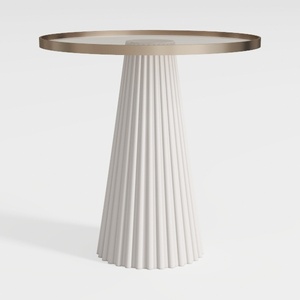
Modern Minimalist Fluted Base Glass Top Side Table 3D Model

Modern Dark Green Velvet Tufted L-shaped Sectional Sofa 3D Model

Minimalist Fabric L Shaped Sectional Sofa with Metal Legs 3D Model
Homestyler is your go-to online platform for home design! With a user-friendly design tool, stunning 3D renderings, and a wealth of design projects and video tutorials, it empowers you to transform your living space effortlessly. Dive in and unleash your creativity today!
立即免费设计
































