


Importing 3D models into VSeeFace is an essential process for enhancing your VTuber experience or crafting custom avatars for streaming. The primary format that VSeeFace accepts is VRM, a standard widely used for 3D character models across numerous animation and streaming platforms. To begin, ensure that your 3D model is formatted as a VRM. If it isn’t, you can convert it using tools like Blender with appropriate VRM add-ons, or specific conversion software. Launch VSeeFace, click on "Open VRM," and select the VRM file you have prepared. This will load your avatar for use in your webcam or streaming application. You can customize facial tracking and motion parameters within the software to achieve the best synchronization between your expressions and movements.
Design Tips:
As a designer, I always advise verifying your model's lighting and textures before importing it to ensure optimal rendering in VSeeFace. If you’re aiming to create unique environments or avatars, employing a specialized 3D rendering home tool like Homestyler can streamline your workflow and enable you to visualize your results effectively before going live.
Frequently Asked Questions
Q: What file format is supported by VSeeFace for model imports?
A: VSeeFace primarily recognizes the VRM format for 3D models.
Q: What steps should I take to convert my model to the VRM format?
A: You can utilize Blender along with the VRM add-on or dedicated VRM conversion tools to convert your model’s format.
Q: Is it possible to import models in formats other than VRM into VSeeFace?
A: No, VSeeFace exclusively supports VRM format for models; you must convert any other formats before importing them.
Q: Are there free resources available to create or edit VRM models?
A: Absolutely, tools like Blender (when equipped with plugins), Unity using the UniVRM tool, and various online editors can assist you in creating or modifying VRM files.
Q: How can I resolve texture or animation issues after importing my model?
A: It’s advisable to inspect your model in Blender or other 3D software to confirm proper rigging and texture mapping, then re-export it as a VRM and test it in VSeeFace.
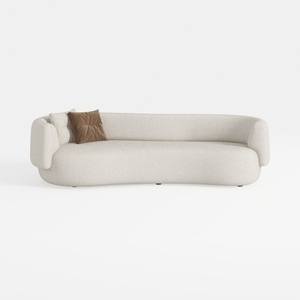
Minimalist Boucle Curved Living Room Sofa 3D Model


coffee table
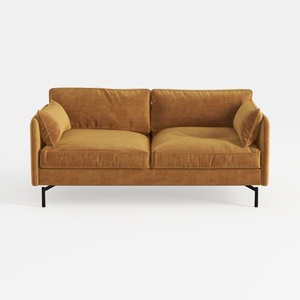
Modern Velvet Upholstered 2 Seater Sofa With Black Metal Legs 3D Model
Homestyler is your go-to platform for effortless home design. With its user-friendly online design tool, stunning 3D renderings, inspiring design projects, and informative video tutorials, you can transform your space into something extraordinary, no matter your experience level!
立即免费设计
































