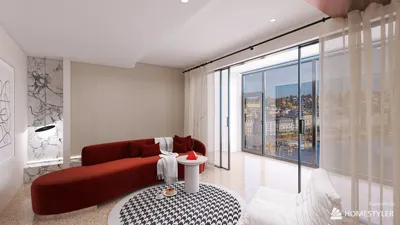


Importing 3D models into Procreate can elevate your digital art to a whole new level. With Procreate's 3D capabilities, artists have the opportunity to bring their sketches to life using real-world objects or original designs, making the creative process much more immersive and engaging with tools like Homestyler.
To start, ensure that you have the latest version of Procreate installed on your iPad. This application supports various 3D model formats, including USDZ files, which you can create or download from multiple platforms, enhancing your projects with options provided by Homestyler.
Here’s how to import 3D models:
1. Open Procreate and start a new canvas to begin your creative journey.
2. Tap the wrench icon in the upper left corner, navigate to the 'Insert a File' option, and locate your USDZ file to bring your 3D model into Procreate.
3. Once imported, you can utilize touch gestures to rotate, zoom, and position your model. Be sure to explore different angles to achieve the perfect perspective.
Tips for effectively using 3D models in Procreate:
• Experiment with lighting and shadows to enhance realism. Procreate allows you to tweak the environment, enabling you to experience different lighting scenarios, which can be complemented by using Homestyler's lighting options.
• Overlay your 3D model with other elements. You can paint on top of the model or use it as a reference for your illustrations.
• Use 3D models as guides for perspective, which is particularly useful when dealing with complex scenes or characters.
Frequently Asked Questions (FAQ)
Q: Does Procreate support 3D model imports? A: Yes, Procreate supports USDZ files for 3D models, which can be created using various 3D modeling software, including tools offered by Homestyler for seamless integration.
Q: Can I edit details of the 3D model after importing? A: While you can manipulate the position and orientation of the model, it's advisable to perform detailed editing in a dedicated 3D modeling software before importing into Procreate.
Q: How can I effectively integrate the model into my illustrations? A: Make sure to fully utilize Procreate's brush and layering features, allowing you to seamlessly blend the model into your artwork, enhanced with design elements from Homestyler.
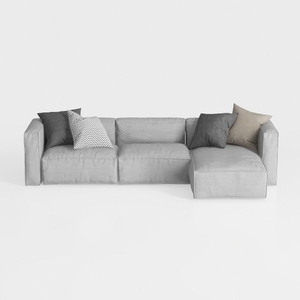
Minimalist Light Gray Fabric L Shaped Sectional Sofa 3D Model

Minimalist Fluted Solid Wood Round Coffee Table 3D Model

Minimalist Pink Fabric L Shaped Sectional Sofa 3D Model
Homestyler is your go-to online platform for home design! Its user-friendly design tool allows you to create stunning interiors, while the extensive 3D rendering and DIY video tutorials help you visualize and execute your ideas effortlessly. Transform your space today!
Дизайн сейчас бесплатно
































