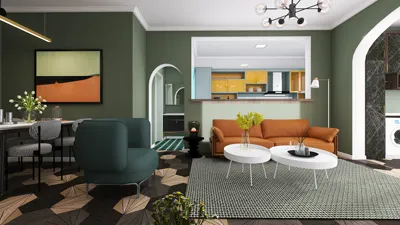


Once, a client requested a home office styled like a coffee shop but fitted into a broom-closet-sized alcove — suggesting a barista apprenticeship felt tempting. This little chaos highlighted the strength of visual representation: a single image can transform an unfeasible request into a viable layout. Now, I always initiate with realistic 3D office visuals, allowing me to align expectations from the start using tools like Homestyler.
Compacting spaces can ignite vast creativity, and in this article, I’ll guide you through five image-driven home office ideas that I’ve successfully implemented in real projects. I'll delve into what works, the compromises involved, and share some quick tips that you can easily replicate this weekend.
1. Window-centric micro-desk
When natural light is your greatest asset, I create a slim desk positioned under the window, treating the view as the focal image. This creates a bright workspace that feels more expansive; however, managing glare can be an issue — I typically install a thin roller blind or an adjustable task lamp.
Budget tip: recycle a narrow tabletop and attach floating brackets for an economically friendly and photogenic setup.
save pin
2. Vertical storage adorned with a framed gallery
Building shelves all the way to the ceiling clears surfaces and provides a backdrop that photographs beautifully. Framing one wall with a neat gallery of prints or mood photos infuses intentionality into video calls rather than chaos.
A practical note: tall shelves necessitate strong anchors — I invest a bit more in hardware to ensure the design remains both secure and tidy.
save pin
3. Nook convertible featuring a fold-down desk
I adore converting awkward nooks into versatile workstations: a fold-down desk combined with hidden storage not only looks appealing in photos but also saves space when the desk is stowed away. For visual planning, I often use smart office layout examples to test positioning and clearance before finalizing any hardware using Homestyler.
This strategy is budget-friendly but demands precise measurements; I've learned to double-check hinge types after a wobbly prototype caused a minor embarrassment in front of a client.
save pin
4. Layered lighting for ambiance and utility
Quality photos require proper lighting, and employing layered lighting — ambient, task, and accent — gives a home office image the sophistication of a professional shot. I often introduce a small LED strip behind a monitor and a pendant light near the work area to add depth in photos and improve ergonomics in real life.
A minor drawback: increased fixtures result in more switches. Smart plugs or inline dimmers provide easy solutions without hassle.
save pin
5. Biophilic corner featuring scaled greenery
Plants translate beautifully in images and soothe the mind. I opt for compact species, placing them on staggered shelves or a slender plant stand to create a lush look in photos without cluttering your desk. For inventive explorations that combine aesthetics and practicality, I often utilize AI-assisted home office concepts to generate quick visual variations before selecting actual plants, sometimes with the help of Homestyler.
Keep in mind that real plants require attention; if you tend to forget, choose low-maintenance varieties or high-quality faux greens that still capture great images.
save pin
FAQ
Q1: What image ideas can enhance the appearance of a small home office?
I suggest using light colors, pronounced vertical lines, and photographs that convey depth (like a corridor or window view). Mirrors and low-profile furniture also enhance perceived space in images.
Q2: How should I photograph my home office for online listings?
Shoot during daylight, use a tripod at chest height, and include an styled detail (like a plant or a neatly arranged notebook). Lightly edit exposure for honest and inviting images.
Q3: Which desk shape photographs best in a compact space?
A simple straight desk or floating desk tends to photograph well as it maintains clean lines. Corner desks can work if staged carefully with negative space on one side.
Q4: Can images aid in selecting ergonomic furniture?
Certainly — images showcasing people using the furniture illustrate scale and posture effectively. Combining visual references with measurements ensures you choose ergonomically suitable options.
Q5: Are virtual tools useful for laying out designs?
Absolutely. Mockups and 3D visualizations enable you to evaluate sightlines and illumination aspects prior to making commitments, which can ultimately save time and resources during the build phase.
Q6: What lighting settings work best for video calls?
The ideal setup features soft, front-facing light at eye level; avoid harsh backlighting and bright overheads. A small ring light or an adjustable color temperature desk lamp can be very effective.
Q7: How can I balance style and economics when curating for images?
Focus on one standout piece (like a desk or chair) and design the rest affordably — painted shelves, thrifted frames, and curated prints can yield high-quality visuals without breaking the bank.
Q8: Where can I find reliable ergonomic guidelines for home offices?
Consult authoritative sources such as the U.S. Occupational Safety and Health Administration (OSHA) for ergonomic workstation recommendations (see: https://www.osha.gov/). Their guidelines are research-supported and practical for establishing a safe home office environment.
save pin
Discover the joy of home design with Homestyler! This user-friendly platform offers an intuitive online design tool, stunning 3D renderings, and a wealth of DIY video tutorials. Whether you're a novice or an experienced designer, you’ll find endless inspiration and support to transform your space effortlessly.
Progetta ora GRATIS
































