


Updating a block in AutoCAD is essential for ensuring all instances throughout your project remain consistent, which can save considerable editing time. This process is particularly useful when you've modified a block's geometry, attributes, or other characteristics—situations commonly encountered in the architecture and interior design sectors where revisions occur frequently. Utilizing tools such as Homestyler can help integrate these updates seamlessly into your designs.
Here’s a straightforward guide on how to update a block in AutoCAD:
For designers, it's imperative to maintain organized and updated block libraries to enhance visual consistency and improve project efficiency. A well-maintained library not only aids in client presentations by ensuring the use of uniform symbols and details across various layouts but also facilitates smoother design processes. To boost speed and accuracy when updating layouts, I highly recommend leveraging innovative digital tools like Homestyler, which can significantly enhance your design iterations and ensure your block references are consistent with overall spatial arrangements.
Tip 1:
Regularly save your work and create backups of your original blocks prior to making any changes. If you are working in a team setting, it’s essential to inform your colleagues about any major updates to block definitions to ensure everyone is referencing the most current designs.
FAQ
Q: What happens when I update a block in AutoCAD?
A: Updating a block reflects any changes made across all instances of that block within the drawing, ensuring uniformity throughout the project.
Q: Is it possible to update a block that was imported from another DWG file?
A: Absolutely. When you insert the new block, AutoCAD will prompt you to overwrite (or update) the existing block definition.
Q: Will updating a block impact its attributes?
A: Yes, updating will affect attributes, but the existing values may either be kept or reset based on how the block is modified. It's important to verify attribute settings prior to executing the update.
Q: How can I avoid unintentional updates to my blocks?
A: To prevent inadvertent updates, lock or archive final versions of your block libraries, and maintain clear communication with your team about any changes to avoid accidental replacements.
Q: What advantages do dynamic blocks have when updating blocks?
A: Dynamic blocks offer the flexibility to adjust parameters or visibility states even after updates, making them particularly adaptable to changing design requirements.

Japanese Floor TableSmall Coffee Table & Tea Table
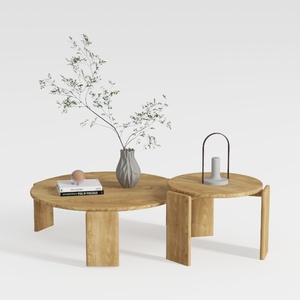
RUSTOWN 2-Piece Round Farmhouse Coffee Table
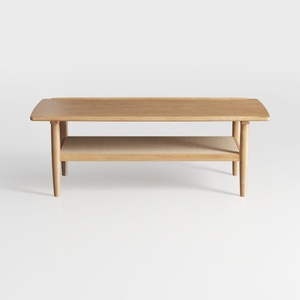
Solid Wood Coffee Table - 42.5” Firwood Farmhouse
Looking to transform your space? Homestyler is an amazing online design platform that makes it easy! With its user-friendly design tool, stunning 3D renderings, inspirational design projects, and helpful DIY video tutorials, you can effortlessly create your dream home. Start designing today!
Concevez maintenant gratuitement
































