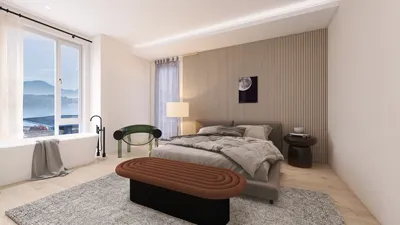


Downloading 3D models from CADnav can be a seamless experience if you follow the right procedures. Here’s a concise guide designed to assist you in navigating the platform and accessing a vast array of stunning 3D models for your projects.
Step 1: Register an Account on CADnav
Before you can download any of the models, it's essential to create a free account on CADnav. This requires providing your email address and selecting a password. An account not only streamlines the download process but also unlocks special features that enrich your overall user experience.
Step 2: Explore 3D Models
Once logged into your account, you can explore various categories of 3D models. Utilize the search bar to find specific models by entering relevant keywords. Additionally, make use of the filtering options to refine your search according to your project’s requirements, thereby simplifying the process of locating the ideal model for your design intentions.
Step 3: Select the Appropriate Model Format
After choosing a model, ensure to verify the file formats available for download. CADnav generally presents several options such as .FBX, .OBJ, and .3DS, which are compatible with most 3D design software. Opt for the format that aligns best with your software capabilities to guarantee smooth integration into your project.
Step 4: Download the Model
After selecting your preferred model and its format, click the download button. The files for the model will be saved to your computer, usually zipped into a single compressed file. Remember to check your downloads folder promptly to access the model files and jumpstart your creative endeavors.
FAQs
Q: Can I use CADnav models for commercial projects? A: Usage rights depend on the licensing agreement associated with each model. Always review the licensing terms outlined by CADnav on the model page to ensure compliance and appropriate use.
Q: What software is compatible with models downloaded from CADnav? A: Most 3D modeling applications, such as Blender, 3ds Max, or SketchUp, are capable of opening the file formats downloaded from CADnav. Ensure your selected software supports the file type for optimal functionality.

Minimalist Fabric Loveseat Sofa with Black Metal Legs 3D Model

Modern Rattan Fabric Outdoor Sectional Sofa with Coffee Table 3D Model
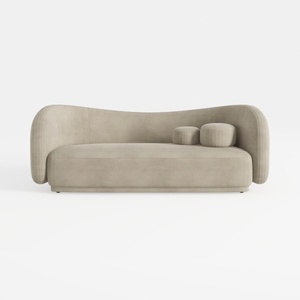
Minimalist Velvet Curved Living Room Sofa 3D Model
Homestyler is the ultimate online platform for your home design dreams. With its user-friendly design tool, stunning 3D renderings, and a wealth of inspiring design projects and video tutorials, you can effortlessly create beautiful spaces—perfect for both novices and seasoned designers alike!
立即免费设计
































