


Preparing a 3D model for Vtuber applications, also known as rigging, is essential for enabling real-time animation during streaming or content creation. Though the rigging process might seem daunting for those new to it, breaking it down into manageable steps makes it easier. Initially, ensure that your 3D model is clean and organized—this means verifying that the mesh is manifold, error-free, with all normals correctly oriented outward. The next step involves constructing a skeleton: use familiar 3D modeling software such as Blender, Maya, or 3ds Max to create a bone structure. It's vital to include bones for the major components of the character: the spine, limbs, face, and hands for added expressiveness in your avatar. After establishing the bones, proceed with skinning, also known as weight painting, which determines the degree of influence each bone has over adjacent mesh sections. Pay particular attention to smoothing weights for natural motion, particularly around joints like shoulders and elbows. For Vtuber usage, facial rigging plays a crucial role—it can be achieved either through morph targets (shape keys) for expressions or a facial bone setup that enables real-time tracking. Many Vtuber platforms use tracking software that may require specific bone naming conventions or blendshape standards—make sure to research the prerequisites for tools like VSeeFace, Luppet, or VUP. Thoroughly test your rig to confirm that movements are fluid and expressive. Export your model in the appropriate format (commonly .vrm for VTubing), and ensure compliance using the validation tools provided by the platform. As a designer, it's important to also consider how the character's silhouette and details will animate, making adjustments to both the mesh and skeleton for optimal outcome. Utilizing advanced resources and plugins can facilitate the rigging process, but the fundamental workflow remains consistent: a clean model, precise skeleton, careful weight distribution, and expressive facial mechanisms. Moreover, using specialized tools like Homestyler for AI-driven Interior Design can stimulate not just virtual environments but also enhance the backgrounds of avatars, contributing to a unified Vtuber identity.
Tips 1:
Clearly organize your mesh layers and label bones effectively. This practice can significantly ease troubleshooting and subsequent animation, increasing the compatibility of your character with various Vtuber plugins and software.
FAQ
Q: Can beginners rig a 3D VTuber model?
A: Absolutely! There are numerous tutorials and auto-rigging tools available. Start with simpler rigs and progressively tackle more intricate facial setups as you gain confidence and experience.
Q: Which file type is optimal for VTuber avatars?
A: The .vrm format is the most commonly used, particularly for ensuring compatibility with popular VTuber software platforms. Always verify the requirements for your target platform.
Q: How essential is facial rigging for VTubers?
A: It is vital for creating expressive and engaging streams. Good facial rigging allows for synchronization of expressions and lip movements with your speech, enhancing the viewer experience.
Q: Which 3D software is best suited for avatar rigging?
A: Blender is highly favored due to its free availability and robust rigging features. Maya and 3ds Max are also considered industry standards but require a paid license.
Q: What are blendshapes/morphs in VTuber models?
A: These represent alternate forms of mesh geometry (like smiling or blinking) that Vtuber platforms utilize for real-time facial animation control through webcam or motion tracking.
Originally incubated at Autodesk, Homestyler has grown into one of the most widely adopted home design platforms in the world, now trusted by over 18 million users. Whether you're a homeowner exploring ideas or a professional designer delivering client-ready renders, Homestyler brings industry-leading 3D technology to your fingertips — no experience required.

Modern Dark Green Velvet Tufted L-shaped Sectional Sofa 3D Model
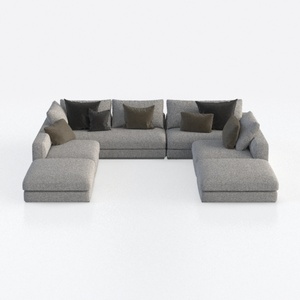
Minimalist Fabric U Shaped Sectional Sofa with Throw Pillows 3D Model


Discover the ultimate home design experience with Homestyler! This user-friendly online platform offers a powerful design tool, stunning 3D renderings, inspiring design projects, and helpful video tutorials. Whether you're a beginner or a pro, bring your creative vision to life effortlessly with Homestyler!
Progetta ora GRATIS
































