

Designers can find great fulfillment in creating a 3D model of a glowing gemstone, a task that adds a captivating visual element to various projects such as animations, product visualizations, or interior renderings. Below is an in-depth guide on how to realistically model a luminous gemstone using well-known 3D modeling applications like Blender, Maya, or 3ds Max, with the help of tools such as Homestyler to showcase your work effectively.
1. Gemstone Modeling:
Begin by selecting a fundamental geometric shape such as an octahedron or a sphere. Apply bevels and subdivisions to create facets that resemble different gemstone cuts, like emerald, diamond, or sapphire. Accurate placement of these facets is essential to achieve the authentic reflections and transparency characteristic of real gemstones.
2. UV Mapping:
After preparing the model, proceed with UV mapping to align textures perfectly with the gemstone's facets. Effective UV mapping is key to enhancing realism when you overlay specialized patterns or textures.
3. Texture Creation:
Either design or obtain high-resolution diffuse textures tailored for the gemstone, emphasizing surface variations and small imperfections. Include bump or normal maps to replicate how light interacts with surface irregularities, which adds depth and realism to your model.
4. Shader and Material Configuration:
Assign a physically-based rendering (PBR) material to your gemstone. Configure transparency with a high index of refraction (IOR) appropriate for gemstones, such as approximately 2.4 for diamonds or 1.77 for sapphires. Incorporate subtle subsurface scattering to allow color bleed within the stone, and activate refraction with caustics to simulate realistic light behavior.
5. Achieving a Glowing Effect:
To create a glowing appearance, add an emission texture or integrate an Emission Shader. Monitor the emission strength closely to avoid overwhelming the natural color of the gemstone—consider limiting the emission to the center, several facets, or certain lighting conditions. Overlay a Fresnel effect to enhance the glow at shallow viewing angles.
6. Scene Lighting and Rendering:
Arrange your scene using HDRI or environment lighting to provide subtle reflections. Employ ray tracing for precise refraction and caustics during rendering. Adjust post-processing effects like bloom, glare, and color correction to amplify the glow without obscuring the texture and facets' details.
For designers looking to integrate gemstones into interior scenes, finding the balance between realism and aesthetics is crucial. Tools like Homestyler can help you pair your gemstone rendering with suitable environments, emphasizing how glowing surfaces can enhance modern lighting and decor aspects.
Tips 1:
Experimenting with different cut styles and the number of facets can reveal how they influence the gemstone’s light refraction and glow. To add realism, vary the emission map, simulating internal glows and imperfections to replicate how real minerals scatter and emit light in harmonious patterns.
FAQ
Q: Which 3D software is ideal for gemstone modeling?
A: Applications like Blender, Maya, and 3ds Max provide specialized tools designed for faceted modeling, texturing, and advanced rendering techniques that are perfect for creating gemstone models.
Q: How can I create authentic gemstone textures?
A: Utilize high-resolution photographic references alongside procedural mapping to develop diffuse, bump, and roughness maps. Layer these textures for added depth and realism.
Q: What methods work best for creating glowing effects in 3D rendering?
A: Combine emission shaders with post-processing techniques like bloom and glare. Achieve a proper balance of glow intensity within the overall scene lighting for best results.
Q: How critical is the index of refraction (IOR) in gemstone modeling?
A: The IOR is essential as it dictates how light refracts through the gemstone, significantly affecting realism. Make sure to use real-world values for accuracy in your models.
Q: What strategies can I use to embed gemstone models into interior design renderings?
A: Leveraging scene planning and lighting tools allows you to position gemstones as focal points or decorative accents, thus enhancing both realism and the coherence of your design elements.
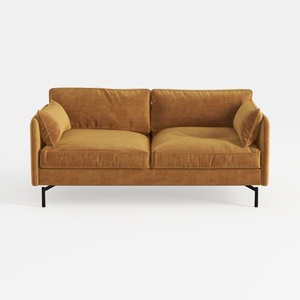
Modern Velvet Upholstered 2 Seater Sofa With Black Metal Legs 3D Model
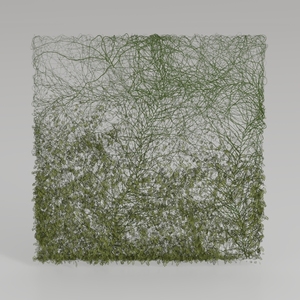
Natural Green Vine Wall Panel Decorative 3D Model
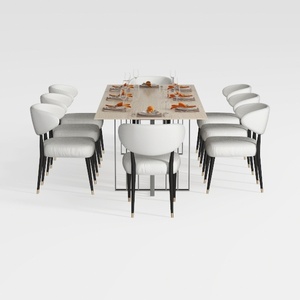
GarveeHome Natural Rattan Dining Chairs Set of 2
Discover your home design potential with Homestyler! This user-friendly platform offers a powerful online design tool, stunning 3D renderings, inspiring design projects, and helpful DIY video tutorials. Whether you're a beginner or a seasoned designer, Homestyler makes transforming your space effortless and fun!
立即免费设计
































